Export Webflow CMS to HTML and Host as a Lightning-Fast Static Site
If you're looking to export Webflow CMS to HTML and self-host as a blazing-fast static site, you're in the right place. In this guide, you'll learn how to convert dynamic content into a portable, reliable static build — and cut hosting costs without sacrificing your design or interactions.
We'll use ExFlow — a powerful Webflow Exporter and Webflow Downloader that captures everything (including CMS pages) and syncs it to your hosting of choice. Whether you're moving because Webflow is too expensive, need a Webflow alternative, or simply want more control, this walkthrough has you covered.
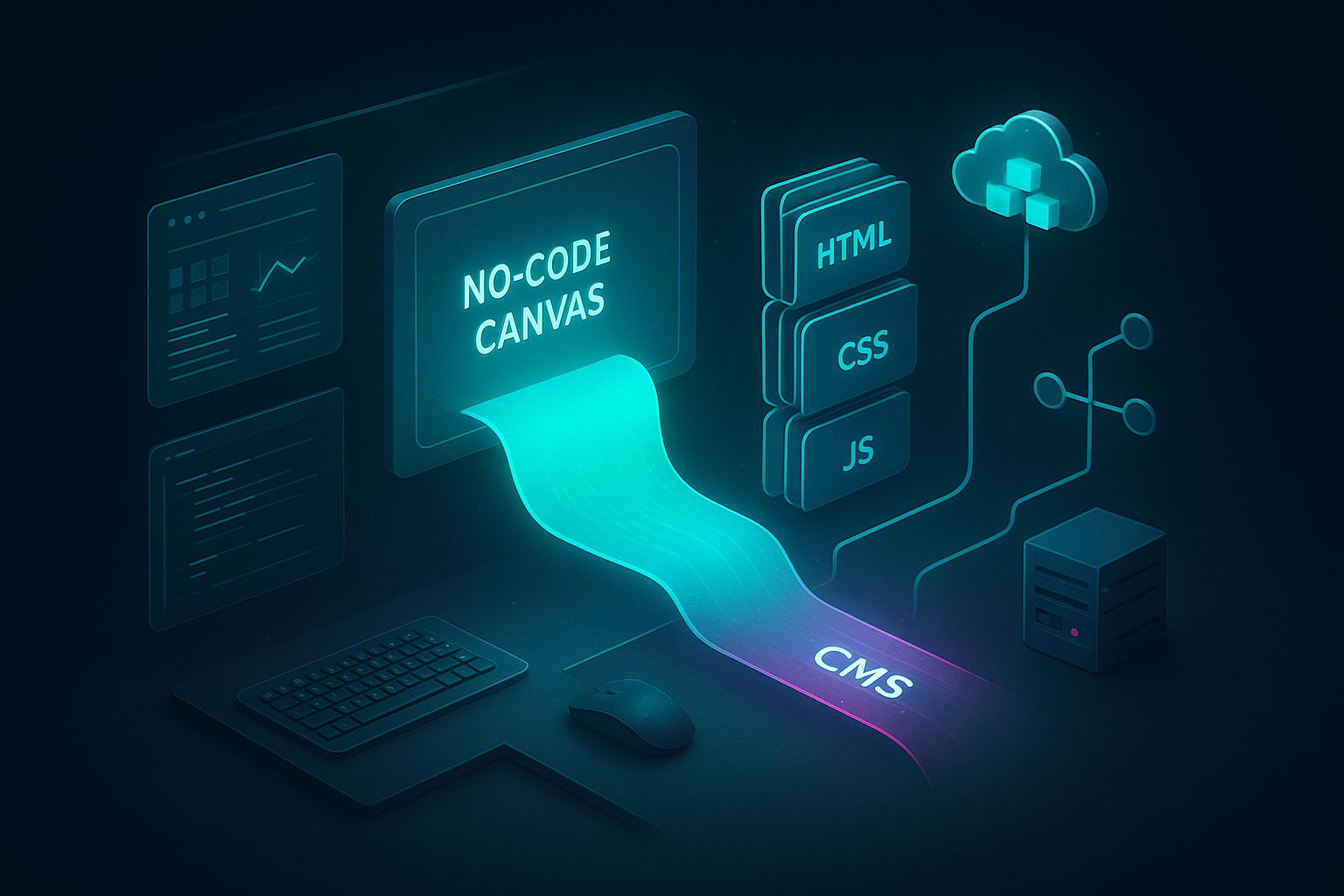
Why go from Webflow CMS to static HTML?
- Speed and Core Web Vitals: Static hosting serves files at the edge/CDN, minimizing server overhead and dramatically improving performance.
- Cost control: Avoid premium hosting. Self-host your Webflow to static build for predictable, often lower costs.
- Security and stability: Fewer moving parts. No databases to patch or CMS logins to secure.
- Portability: Move providers at will, keep a versioned copy of your site, and avoid vendor lock-in.
SEO tip: Target phrases like 'Webflow to Static', 'Webflow CMS to HTML', 'Download Webflow CMS', and 'Self-Host Webflow Site' to attract users on this exact journey.
Meet ExFlow: the Webflow Exporter that grabs CMS pages too
ExFlow is a streamlined Webflow Downloader that turns your site — pages, CMS content, CSS, JS, and images — into a clean static package. Unlike the default exporter, ExFlow includes CMS collections and dynamic pages, and it can also:
- Export CSS, JS, and all media
- Export all pages with .html extensions
- Remove the 'Made with' badge
- Add custom script.js and style.css
- Sync to Git, FTP, or object storage (S3-compatible)
- Offer built-in hosting with unlimited bandwidth and custom domain linking (plan-dependent)
It also supports Squarespace and Framer, but this tutorial focuses on Webflow to static workflows.
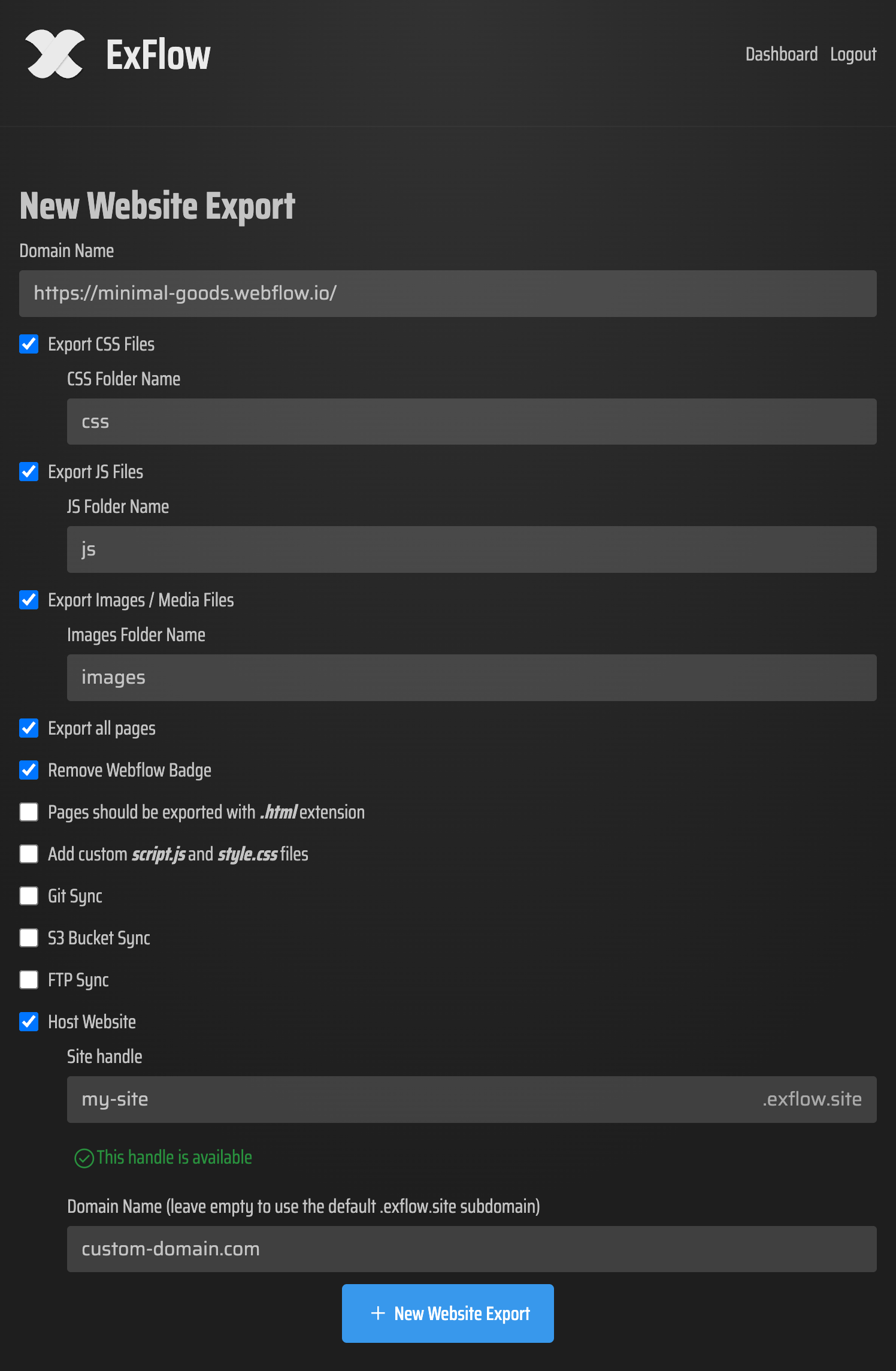
Step-by-step: Export Webflow CMS to HTML with ExFlow
1) Prep your URL and options
- Gather your live Webflow site URL.
- Optional: Prepare credentials for your chosen sync option (Git, FTP, or object storage). These are sensitive — store and enter them securely.
2) Start your export
- Go to ExFlow.site and paste your site URL.
- In settings, select:
- Export CSS files, JS files, images/media
- Export all pages (ensures CMS pages are included)
- Pages exported with .html extension
- Remove 'Made with' badge (optional)
- Add custom script.js/style.css if you want global tweaks (analytics, minor CSS fixes)
3) Process and verify
- Kick off the export. ExFlow crawls your site and compiles a static copy that preserves layout, animations, and interactions.
- Confirm that your CMS collection pages are present in the output.
4) Download or auto-sync
- Download the ZIP to store locally and deploy later; or
- Auto-sync to your target:
- Git: Push to a repo for CI/CD or deploy via GitHub Pages
- FTP: Upload to a traditional web server
- Object storage: Serve as a static website from a bucket-style host
Hosting options for your static Webflow site
1) Host on ExFlow (fastest path)
- Choose hosting during export.
- ExFlow handles deployment and provides unlimited bandwidth. You can link a custom domain for a professional setup. Great for teams that want to ship quickly.
2) Object storage (S3-compatible)
- Create a public static website bucket and set 'index.html' as the default.
- Use ExFlow's object-storage sync to upload files automatically during export.
- Add a CDN layer and connect your custom domain for global speed.
3) Git + static hosts
- Connect your repo in ExFlow and push exports on demand.
- Deploy via GitHub Pages or a static host of your choice.
- Benefits: versioning, easy rollbacks, lightweight CI pipelines.
4) FTP to a traditional server
- Provide FTP credentials in ExFlow and let it upload your build.
- Ensure the server is configured to serve static files with correct headers.
Want a quick visual tutorial? Watch: Export a Webflow Site for Free + Badge Removal (Webflow-Exporter): https://www.youtube.com/watch?v=38hVzKheSvs
Post-export polish for SEO and performance
- Caching and headers: Configure long cache lifetimes for static assets (CSS/JS/images). Use immutable file names or versioning.
- Image optimization: Compress and serve modern formats where possible. Add srcset for responsive images if not already present.
- Preload critical assets: Preload key fonts and above-the-fold CSS to speed first render.
- Clean metadata: Ensure titles, meta descriptions, Open Graph, and structured data remain intact.
- Canonicals and sitemaps: Confirm canonical tags and submit/refresh your sitemap in search consoles.
- Redirects and 404s: Add simple rules for legacy paths and a user-friendly 404 page.
- Analytics and consent: Drop your analytics script into the custom script.js option in ExFlow to keep tracking consistent.
Common questions about Webflow to static
Does the default Webflow exporter include CMS pages?
No. That's why creators use ExFlow to export Webflow CMS to HTML — including dynamic pages.
Will interactions and animations still work?
Yes. Since CSS, JS, and media are exported, client-side interactions typically continue to function.
What about forms and gated content?
Forms that previously posted to a platform endpoint may need a static-friendly form service. Password-protected or member-only features require additional setup and are not purely static.
Is this a Webflow alternative?
If hosting is your pain point, using ExFlow as your Webflow to static pipeline is a practical alternative to expensive hosting while keeping your favorite design workflow.
Any legal or security considerations?
Always respect platform terms and ensure you have rights to export the content. When using sync features (Git, FTP, object storage), enter credentials securely and rotate them periodically.
Why ExFlow stands out vs. generic site copiers
General-purpose site downloaders often break complex interactions, dynamic routes, or asset references. ExFlow understands modern designer-built sites and handles nuances like:
- CMS-driven pages and collection lists
- Web animations and component structures
- Correctly bundling assets and references
- Optional badge removal and file appends (custom CSS/JS)
Result: cleaner exports, fewer manual fixes, and a frictionless path to Webflow CMS to HTML.
Quick recap
- Design in Webflow, export with ExFlow, and host anywhere you like.
- Keep CMS content intact, remove badges, and add your own scripts/styles.
- Sync to Git/FTP/object storage or pick ExFlow hosting for the simplest route.
Ready to take control of performance and cost? Start here: ExFlow Webflow Exporter
Looking for a one-click Webflow Downloader to grab everything and deploy? Try ExFlow now and self-host your site with confidence.

Comments
Post a Comment