How I Turn Product Data Into Repeatable Video Demos with VideoFlow
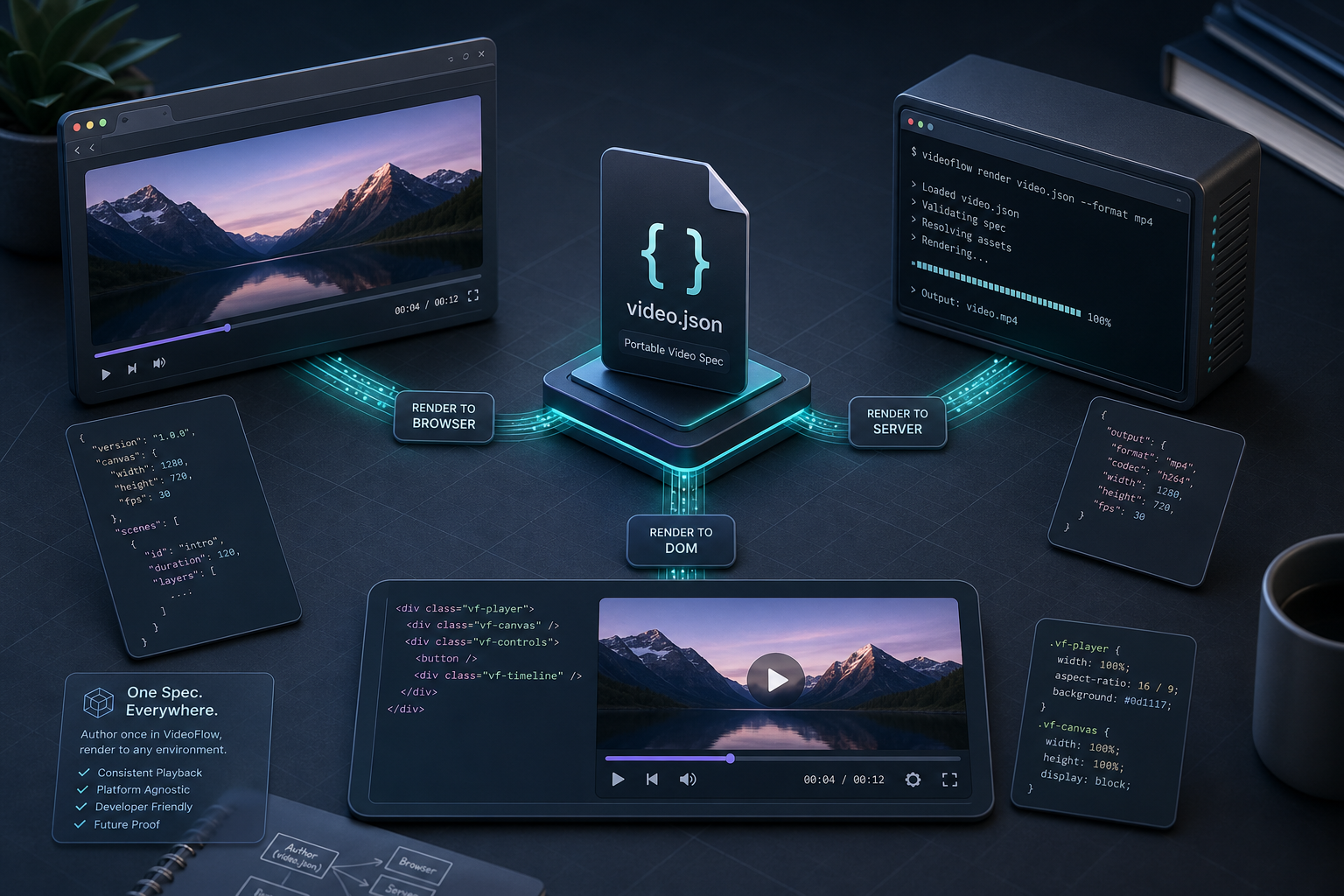
I stopped treating video like a one-off render job. The first thing that breaks is not the export step, it is template drift. The headline changes, the offer changes, the CTA changes, and suddenly the "same" video exists in four slightly different timelines.
I wanted one source of truth for the scene logic, one portable format for the video itself, and one way to choose the render path based on the job. That is the part VideoFlow is built for. The docs, core docs, renderers, and React video editor show how the pieces fit. I also keep the GitHub repo open because it makes the JSON-first model easier to reason about.
What this solves
- one template that can generate multiple product videos
- one spec that can render in the browser, on a server, or in a DOM preview
- one editor layer for humans, without turning the editor into the source of truth
- one workflow that works for launch clips, demos, onboarding, and short social cuts
Start With Data, Not Timelines
I do not start with a timeline. I start with the fields that already exist: product name, hero claim, offer, CTA, maybe one testimonial or feature cluster. Those values become variables in the video spec, which is what keeps the system repeatable when the product changes.
That is the basic benefit of a JSON-first format. When the product copy changes, I update the variable. I do not hunt through copied scenes to change the same line in five places.
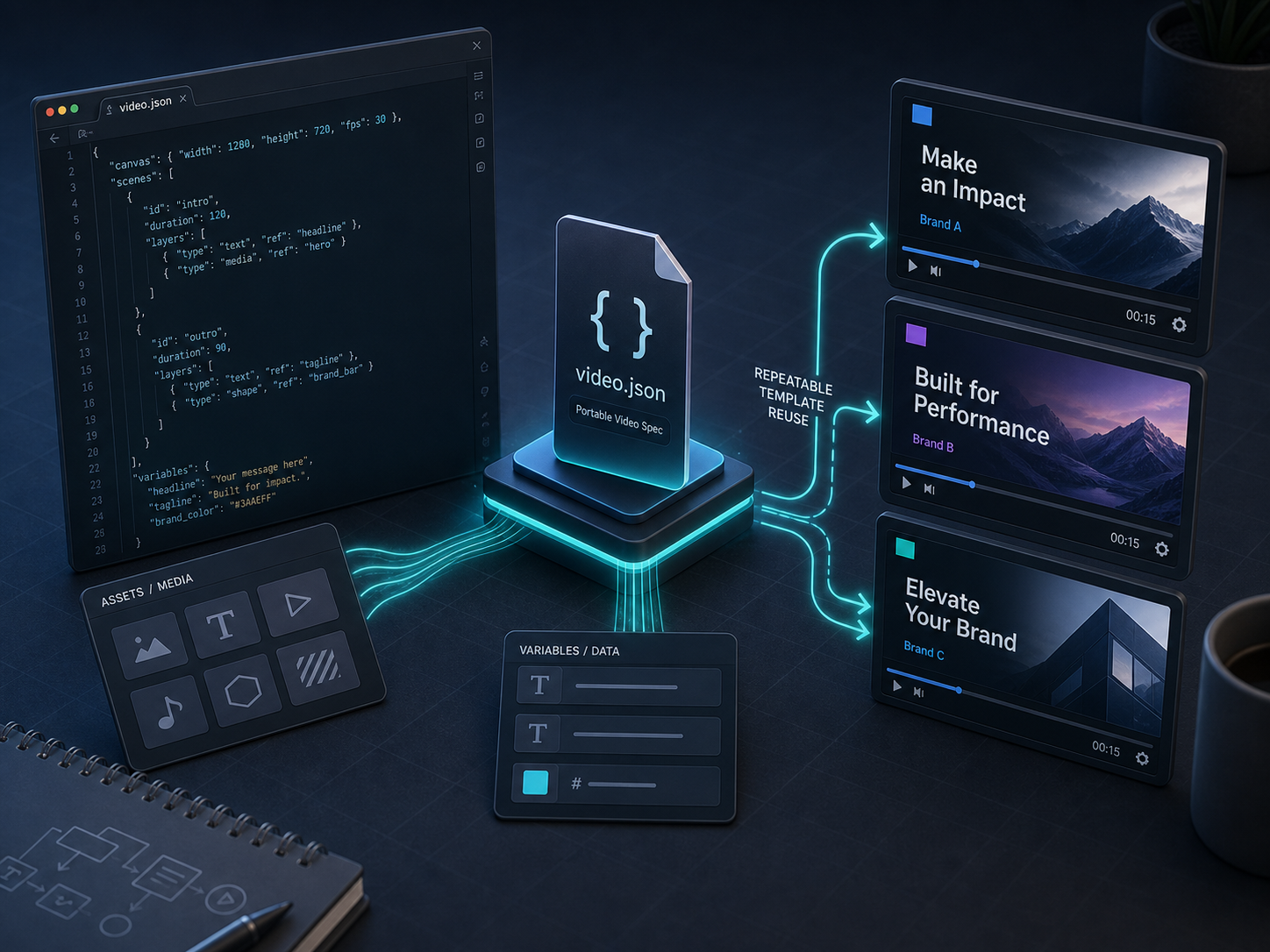
If you want the code-first version, the @videoflow/core builder gives you a compact TypeScript surface. The docs show the pattern clearly:
import VideoFlow from "@videoflow/core";

const $ = new VideoFlow({
  name: "Product Demo",
  width: 1920,
  height: 1080,
  fps: 30,
});

$.addText({ text: "New launch", fontSize: 7, fontWeight: 800 });

const videoJSON = await $.compile();
That is the part that survives contact with actual production work: a small builder, a portable spec, and a format the rest of the system can use later.
Pick The Renderer By The Job
Once the spec exists, the renderer is just an operational choice. I would not use the same export path for everything.
- Browser render when the user is already in the app and you want client-side export.
- Server render when you need API-driven batches, queues, or scheduled jobs.
- DOM preview when the user needs a live, scrubbable editing surface.
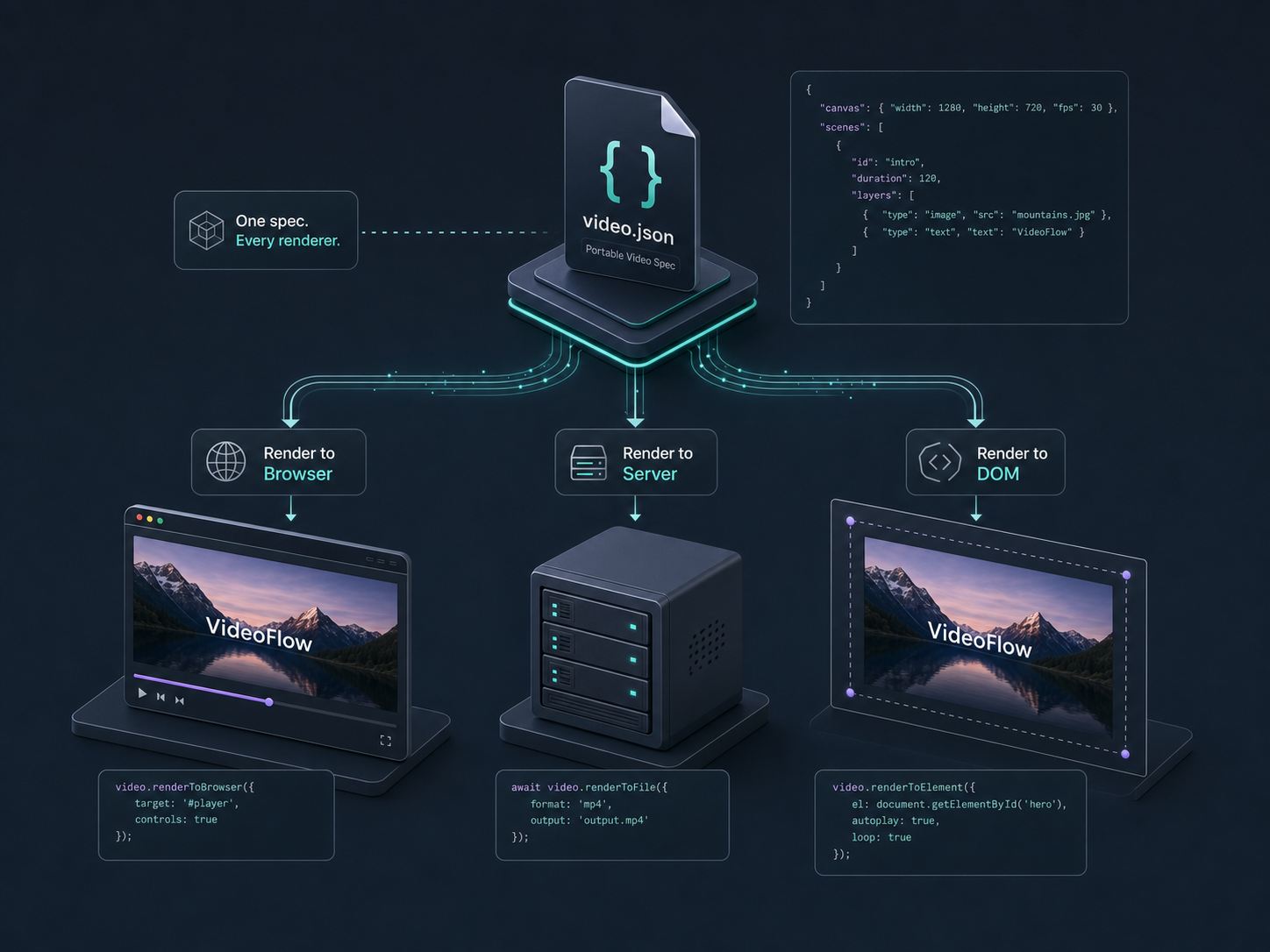
I wrote about that split in How to Build a Browser-Based MP4 Exporter Without a Rendering Server and How to Build a Three-Renderer Video Workflow With VideoFlow. The useful takeaway is not the technology itself. It is that the same VideoJSON can keep moving between environments without rewriting the scene logic.
That is also why the renderers docs are worth reading directly. They explain the browser, server, and DOM options better than any summary can.
Let Humans Edit The Right Layer
When a team needs review, I would not hand them raw scene code and call it collaboration. I would expose the portable JSON to the app, then use the React editor where the editing actually needs to happen.
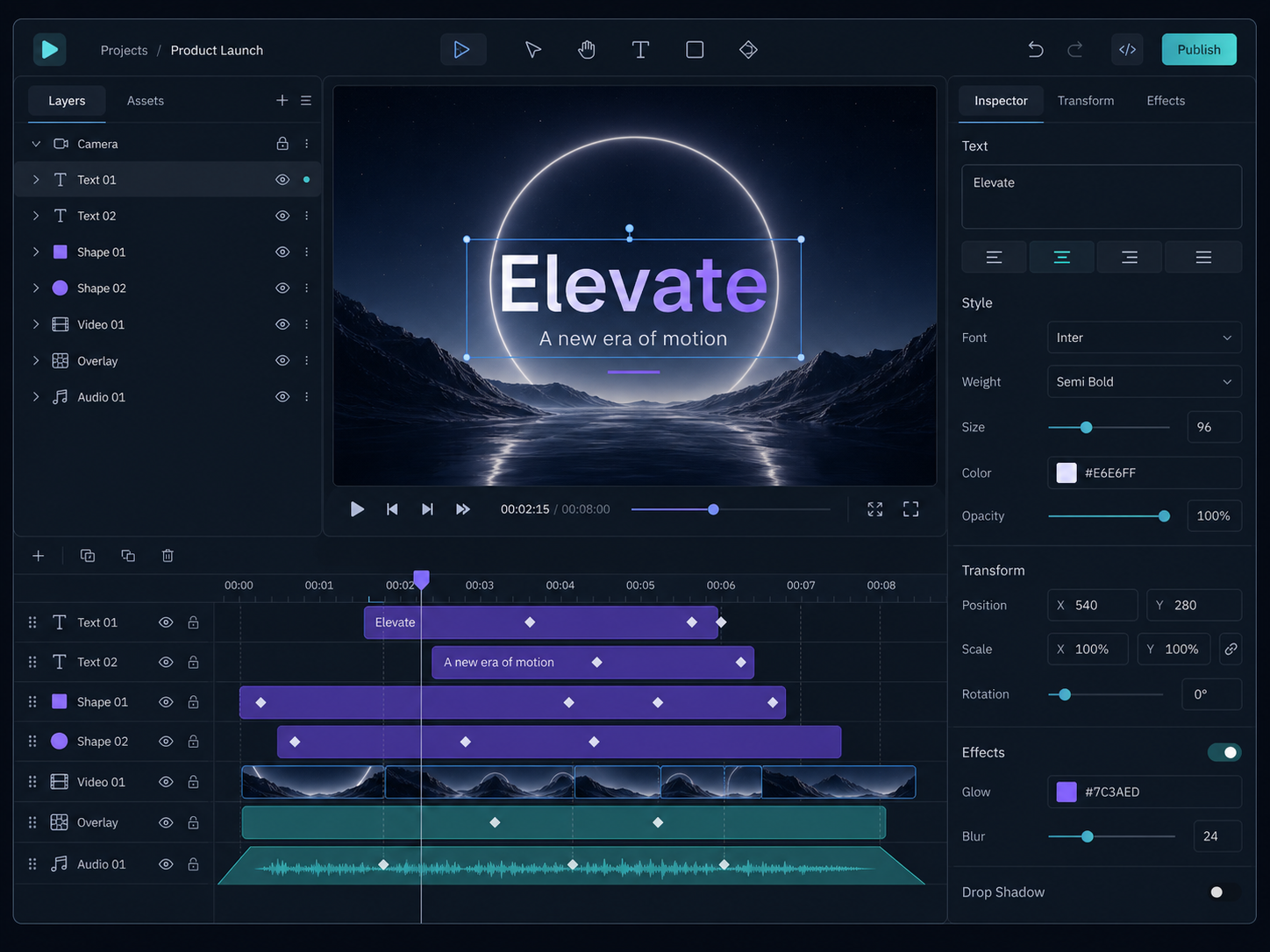
That is the same direction behind How to Add a Multi-Track React Video Editor to Your SaaS App, How to Keep One Video JSON Source of Truth for Preview, Edit, and Export, and How I Built a React Video Editor Around Portable JSON with VideoFlow. The editor should be the place where a human trims, reorders, or tweaks. It should not become a second source of truth.
That distinction saves time in a boring but important way. Product, marketing, and engineering can all look at the same underlying spec, even if they interact with it through different surfaces.
What This Looks Like In Practice
The strongest use case I see is product-driven video generation: launch clips, onboarding snippets, social cutdowns, demo videos, or personalized render jobs built from the same base spec. That is where VideoFlow feels practical instead of theoretical.
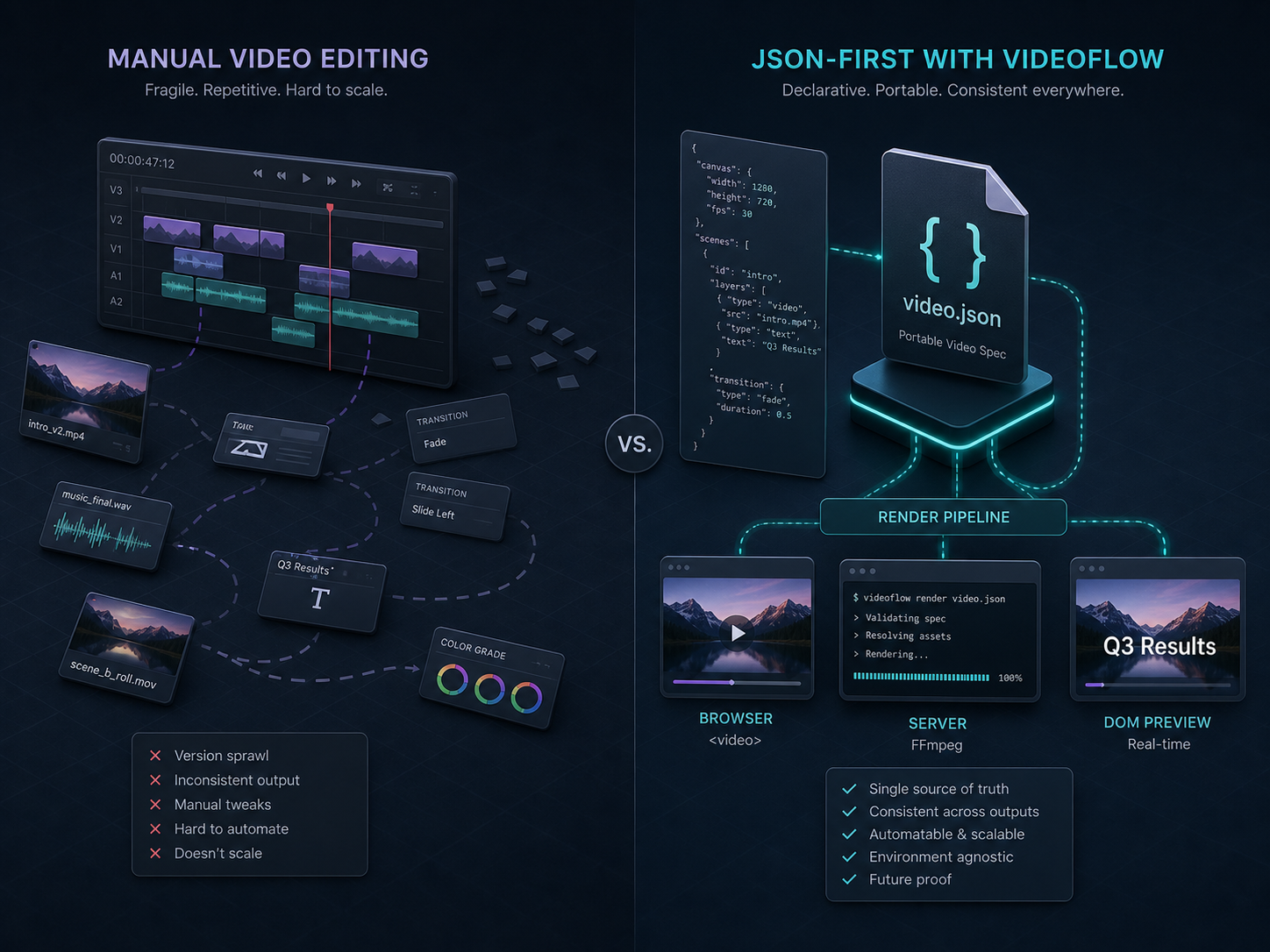
I would still avoid using this for work that really wants a traditional nonlinear editor. If the goal is one-off creative polish, manual editing is still the better tool. But if the goal is repeatable output, consistent formatting, and a clean path from data to MP4, JSON-first video is the better interface.
If you are thinking about agentic or automated pipelines, the related article How to Build an AI Video Workflow From Prompt to JSON to MP4 is the other piece I would keep nearby.
Bottom Line
The reason I keep VideoFlow open when I plan video work is simple: it gives me one spec, multiple render paths, and an editor story that does not force me to rebuild the whole project every time the output changes.
If you want to try it, start with the playground, skim the examples, and install @videoflow/core when you are ready to make the first template real.

Comments
Post a Comment