How to Keep a Shopify Blog Publishing on Schedule Without Manual Writing
If your Shopify blog only gets updated when someone has time to start from zero, the bottleneck is not ideas. It is the handoff between a topic and a publishable draft.
Supra Blog Automation is built for that gap. Its landing page and Shopify App Store listing position it as AI blog automation for ecommerce stores that want SEO-focused posts, visuals, and scheduling without rebuilding the workflow every week. It can create posts on demand or as a recurring automation, and the App Store listing says a free plan is available.

What actually stalls Shopify blogging
The problem is usually not a lack of topics. Most stores already have products, collections, launch dates, and customer questions that could become useful articles.
The stall happens because every new post feels like a separate project. Someone has to decide the angle, write the draft, add visuals, decide whether it is safe to publish, and then remember to do it again next week.
That is exactly where a product-aware automation workflow helps. The app is designed around single-post generation, recurring automations, SEO structure, product context, and flexible publishing control, so the blog can keep moving even when the team is busy elsewhere.

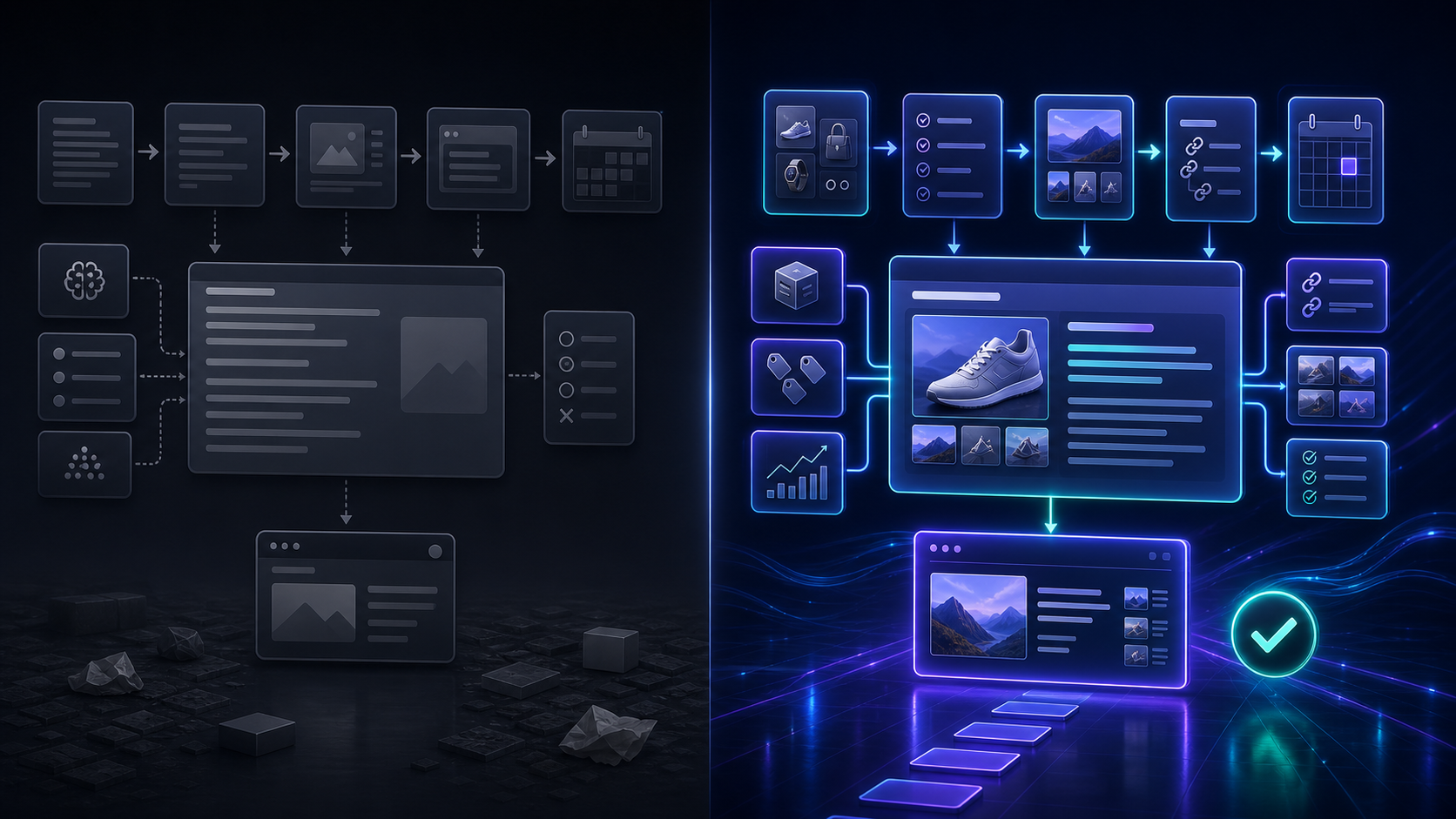
The workflow I would use
I would not automate everything at once. I would keep the first workflow small enough to trust.
- Pick a topic tied to a real product, collection, or customer problem.
- Feed in the product context and the goal of the post.
- Decide whether the result should publish immediately or stay in draft.
- Add internal links and visuals that support the article.
- Put the topic on a recurring schedule if it belongs in the editorial calendar.
That sequence matters because it keeps the app focused on useful output instead of generic filler. The product file calls out built-in SEO, internal links, product promotion, and image generation for a reason: those pieces help turn a draft into something a merchant can actually use.
If you want a tighter breakdown of the prompt side, How I Write Shopify Blog Briefs That Survive Automation is the companion read that fits best.
Where a draft review loop helps
Automation is strongest when the risk is low and the topic is repeatable. It is weaker when the post needs more judgment.
That is why I like the option to save a post as a draft. It gives you a clean place to review product claims, brand voice, seasonal positioning, and any post that needs a human check before it goes live.

If you want that pattern in more detail, How to Set Up Shopify Blog Automation With a Draft Review Loop shows why the review step is worth keeping. For launch-led content, How I Turn Product Launches Into Shopify Blog Posts With Automation is the closest adjacent workflow.
The practical rule is simple: publish automatically when the topic is routine, review manually when the stakes are higher.
How to keep the output from sounding generic
Generic AI content usually happens when the prompt is too broad. The fix is not more prose. The fix is more context.
A useful Shopify blog post should reference a real product, a real collection, or a real customer problem. It should answer something concrete, not just sound polished. That is where product-aware blog content is better than broad informational copy: it gives readers a reason to keep reading and a reason to click through.
If you want the shorter version of that lesson, How to Automate a Shopify Blog Without Generic AI Drafts is still the most direct title in the archive. The broader system view is in How to Build a Shopify Blog System That Publishes Better Posts on Schedule.
What I would keep in the brief:
- the product or collection being featured
- the customer problem the post should solve
- the tone you want the article to match
- the call to action at the end
- whether the post should publish now or stay in draft
That is enough structure for the automation to stay on target without sounding like it was written in a vacuum.
What I would automate first
I would start with the posts that benefit most from consistency:
- weekly how-to articles tied to a product line
- launch support posts for new products or collections
- seasonal content that needs to go live on a schedule
- educational posts that answer the same customer questions repeatedly

If you want a launch-first framing, How I Turn Product Launches Into Shopify Blog Posts With Automation is the closest match. If you want the system view instead, How to Build a Shopify Blog System That Publishes Better Posts on Schedule is the better companion article.
That is the practical value of Supra Blog Automation: it lets you keep the calendar moving without turning every post into a manual writing session.
Conclusion
If your goal is consistency, start with one product, one topic cluster, and one publish schedule. Supra Blog Automation is most useful when it keeps the editorial pipeline moving, not when it tries to replace review entirely.
If you want a low-friction starting point, try the free plan, generate one draft, and turn that into the first reusable workflow. Once that works, you can add more topics, more visuals, and a recurring publishing cadence without rebuilding the process each time.

Comments
Post a Comment