How I Build a Video Template System That Survives Renderer Changes

I keep seeing the same failure mode in programmatic video work: the template is fine until the renderer changes. Then the exact same scene has to be rewritten for browser preview, server export, or editor handoff. That is where the time disappears.
VideoFlow solves that problem the way I wish more video tools did. The core idea is to describe a video as portable JSON, then render the same project in different environments without rebuilding the timeline from scratch. The stack is open source under Apache-2.0, which matters to me because the system stays inspectable instead of turning into a black box.
My goal is not to make video more complicated. It is to keep one template useful for as long as possible, even when the output path changes.
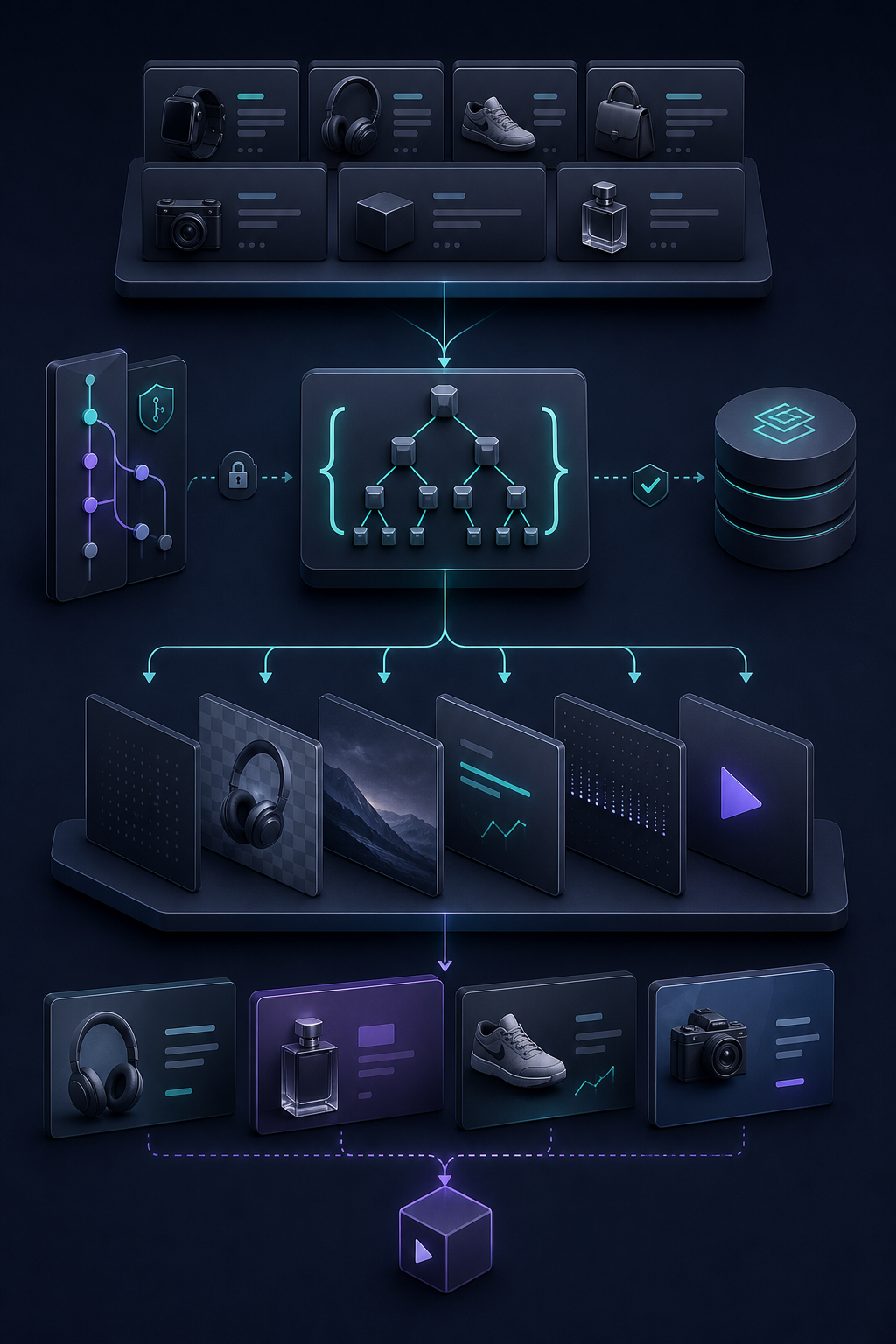
What I want from a video system
When I build around VideoFlow, I am trying to preserve four things:
- one source of truth for the scene layout
- a preview path that is fast enough to iterate on
- a batch path that can scale beyond one-off exports
- a handoff path that non-developers can touch without breaking the logic
That is why I start in @videoflow/core instead of picking a renderer first. Core is where I define the structure, and the renderers are where I decide how to use it.
npm install @videoflow/coreIf I need to compare with the product docs while I work, I keep the core docs, renderers docs, and examples open. Those three pages make the mental model much easier to keep straight.
My workflow with VideoFlow
- I build the template in TypeScript with
@videoflow/core. - I compile it to portable VideoJSON so the project can move cleanly between environments.
- I use browser rendering or live DOM preview when I want quick feedback.
- I use server rendering when I want repeatable batch jobs or scheduled exports.
- I switch to the React editor when somebody on the team needs a visual editing surface.
The point of that sequence is not just convenience. It keeps me from baking renderer-specific assumptions into the template itself. If the scene depends on a browser-only trick, a server-only workaround, or a UI-only behavior, the portability story falls apart.
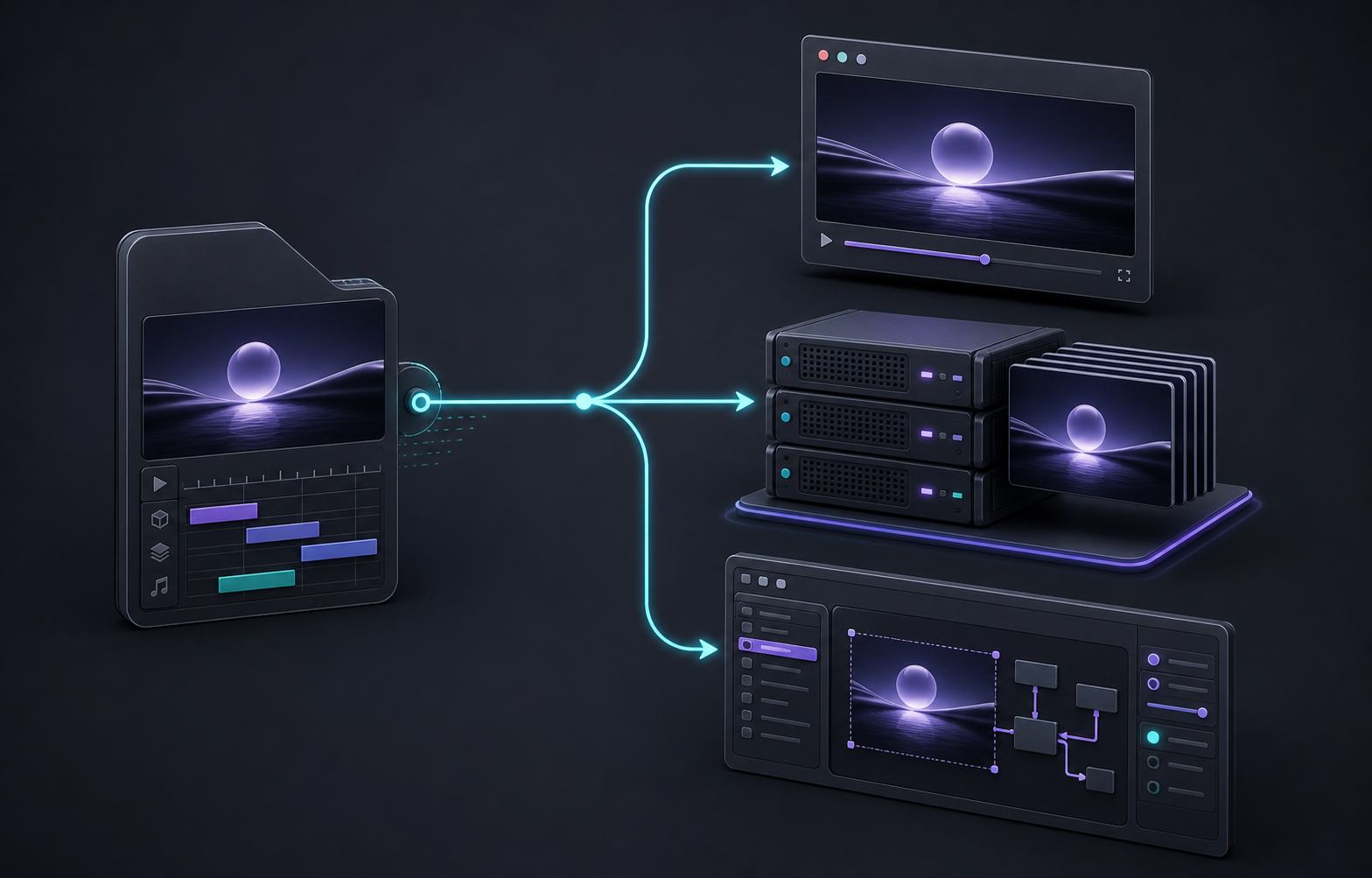
This is also why I prefer thinking in terms of template portability instead of renderer loyalty. If I know what job each renderer does, I can keep the project flexible instead of overfitting it to the first export path I tried.
That framing is close to what I wrote in How I Pick the Right VideoFlow Renderer for the Job, and it lines up with How to Render One Video JSON in Browser, Node, and React. Both posts point at the same idea: portability is the point, not a side effect.
Where the React editor pays off
The React editor is the part I would reach for when the workflow stops being purely developer-owned. If a teammate needs to trim clips, reorder layers, adjust keyframes, or save a new version without touching code, a visual editor is easier to hand off than a text-only pipeline.
The editor also matters when I want the project to feel less like a script and more like a product. The features I care about most are the multi-track timeline, live preview, undo and redo, layer uploads, keyframes, and the ability to theme the editor so it fits the app instead of looking bolted on.
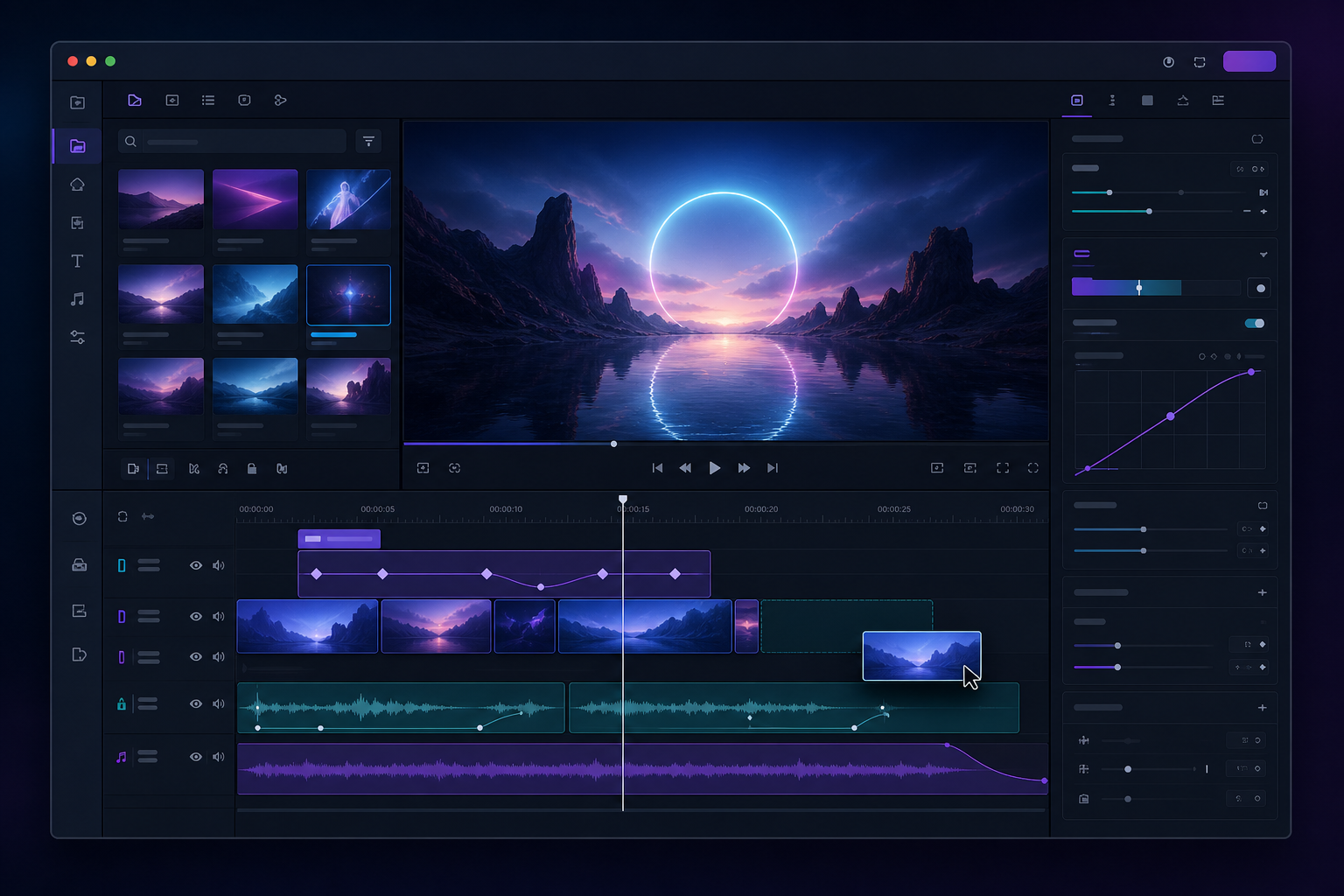
That is why I do not treat the editor as a separate system. I treat it as another view of the same project data. If the template is portable, the editor becomes a handoff layer instead of a fork in the workflow.
I wrote about that broader maintenance angle in How I Keep Video Templates Maintainable With VideoFlow and the product-video version in How I Build a Shopify Product Video Template System With VideoFlow. Both are useful if you are trying to turn a single template into something you can reuse across campaigns.
What I keep out of the template
The easiest mistake is to let the template absorb everything. I try not to do that.
- Renderer selection belongs outside the scene definition.
- Batch scheduling belongs outside the scene definition.
- Upload and delivery plumbing belong outside the scene definition.
- Anything that changes because of infrastructure belongs outside the scene definition.
That separation is what makes the core useful. When the same project can render in the browser, on a server, or in a live DOM preview, I can change the delivery path without rebuilding the creative logic.
It also makes the system easier to maintain later. If the layout, timing, and content all live in one portable project, I can version it, diff it, and hand it around without wondering whether the export path will quietly break it.
I think that is the real reason a toolkit like VideoFlow is interesting. It is not just another way to make a video. It is a way to keep a video system understandable after the first version ships.
The version I would start with
If I were starting today, I would keep the first build simple: one template, one reusable scene structure, one browser preview path, and one server render path. If the team needs it, I would add the React editor after the project is already stable.
That order matters. It keeps the project from turning into an editor experiment before it becomes a reliable workflow.
If you want to dig in, start with the main site, the docs, and the GitHub repo. If the stack looks right, the next move is to build one template and see whether it stays useful when you change the render path. That is the test that matters.

Comments
Post a Comment