How to Build a JSON-First Video Workflow That Stays Portable

If you need videos to update from product data, campaign rules, or template changes, the hard part is usually not encoding. It is keeping the workflow editable after the first version ships.
VideoFlow solves that with a JSON-first approach: define the video once, compile it into portable VideoJSON, and render the same project in the browser, on the server, or inside a live editor. That is a cleaner fit for automation-heavy teams than a timeline that lives in one place only.
For a practical walkthrough, start with the docs and the playground, then use the repository when you want to see the open-source pieces together on GitHub.
Why JSON-first video is easier to keep under control
When the source of truth is data, the project becomes easier to version, diff, template, and regenerate. That matters if your team is creating product demos, onboarding clips, personalized videos, or repeatable social assets from the same base scene.
- It is easier to store in Git than a manual timeline file.
- It is easier to generate from app data or AI agents.
- It is easier to render in different environments without rewriting the project.
- It is easier to hand off between developers and editors.

That is the main reason VideoFlow stands out for workflow design. It is not just a render tool. It is a portable format plus a set of renderers and editing surfaces built around the same structure.
What each part of the stack does
The core package, @videoflow/core, is where you author the scene. The browser renderer handles local MP4 export in the client. The server renderer is the right choice for queues, APIs, and scheduled jobs. The DOM renderer gives you a live preview surface, and the React video editor adds a multi-track editing experience on top of the same JSON.
That split is useful because it keeps the project from being locked to one runtime. If you want to test a scene in the browser, render it in a job worker later, and let a teammate tweak it in an editor, you do not have to rebuild the whole pipeline.

In practice, the choice is straightforward:
- Use the browser renderer when you want instant export without sending the source project to a server.
- Use the server renderer when you need repeatable batch jobs, queues, or API-driven video generation.
- Use the DOM renderer when preview fidelity matters before export.
- Use the React editor when other people need to adjust the timeline without touching code.
A simple implementation pattern
Most teams do best when they keep the scene definition small and stable. Start with a data object, map that object into layers, compile to VideoJSON, and only then choose the render target. That keeps the expensive parts of the workflow late in the pipeline.
import VideoFlow from "@videoflow/core";

const $ = new VideoFlow({
  name: "Promo",
  width: 1920,
  height: 1080,
  fps: 30,
});

$.addText({ text: "New launch", fontSize: 7, fontWeight: 800 });

const videoJSON = await $.compile();
const mp4 = await $.renderVideo();
You can keep that basic flow and still layer on groups, transitions, captions, effects, and audio later. The point is not to make every scene complex. The point is to make every scene repeatable.
Where the React editor fits
If your workflow includes non-developers, the React editor is the part that makes the system easier to adopt. It gives you a multi-track timeline, drag-and-drop editing, keyframes, an inspector, and MP4 export, all while staying connected to the same underlying VideoJSON.
- Multi-track timeline for layered scenes.
- Keyframes and transitions for motion control.
- Theme options that fit into an existing product UI.
- Live preview so people can see the effect before they export.
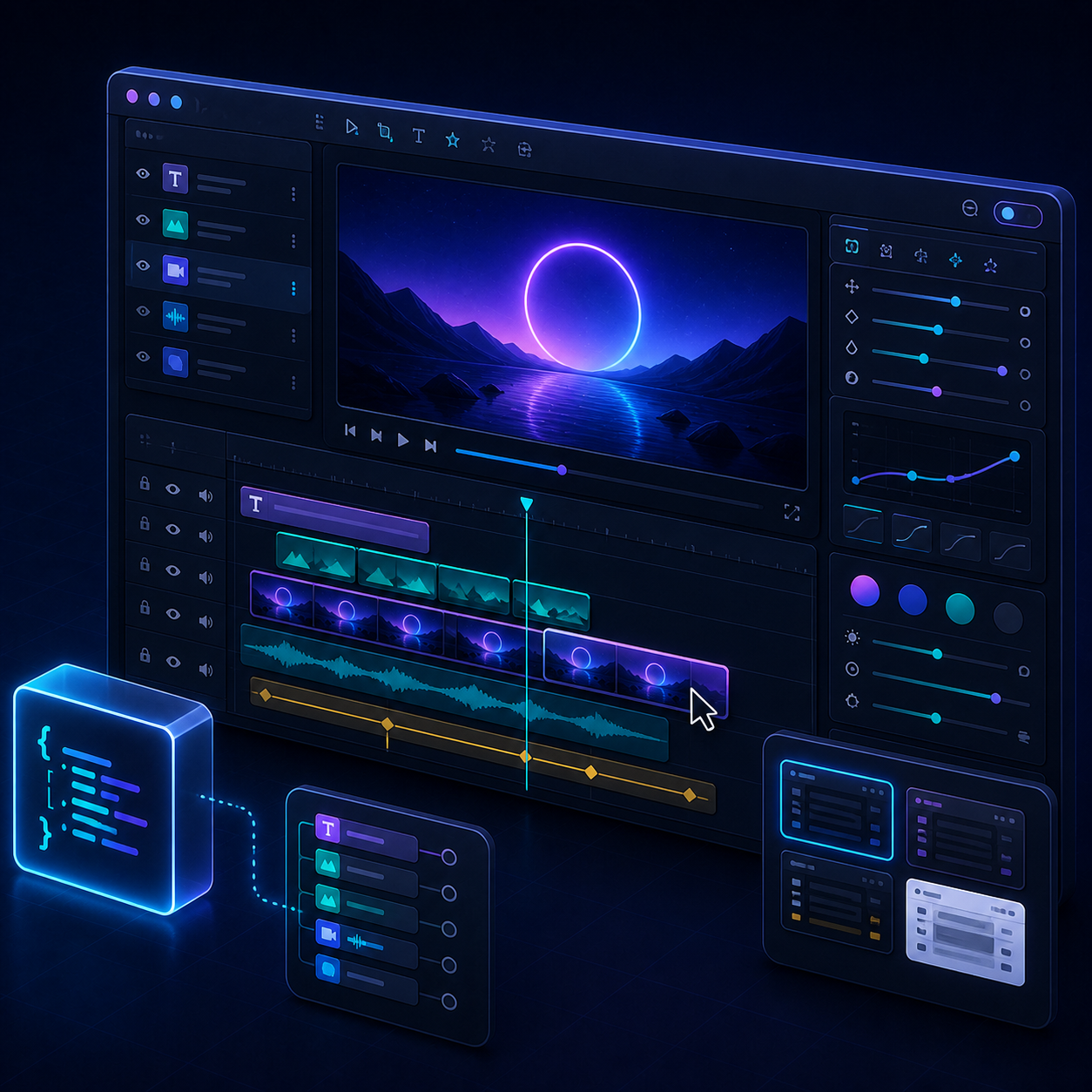
This is where the workflow becomes useful for product teams. You can keep the code path for automation and still offer a visual path for people who need to make small edits quickly.
Good use cases for this model
VideoFlow makes the most sense when the output has to be repeatable, data-driven, and easy to regenerate. Typical cases include product demos, personalized marketing clips, social variations, onboarding videos, reports, and embedded editors inside SaaS products.
That is also why the recent VideoFlow posts line up so well with this approach. If you want the template-system angle, read How I Build a Shopify Product Video Template System With VideoFlow. If you want to see the renderer side, compare it with How to Render One Video JSON in Browser, Node, and React and How I Keep One Video JSON Working Across Three Renderers. For a broader workflow view, How to Build a JSON-First Video Workflow With VideoFlow and How I Reuse One Shopify Product Video Across Ads, Product Pages, and Email are the right follow-ups.
When not to use VideoFlow
If your work is a one-off creative edit with lots of manual, frame-by-frame decisions, a traditional nonlinear editor is still the better fit. VideoFlow is stronger when the scene should be structured, versionable, and easy to repeat.
That is the practical test: if you expect to make the same kind of video more than once, or you want the output to change from data instead of manual editing, JSON-first video is the better system.
Bottom line
VideoFlow is useful because it lets one video definition stay portable across authoring, preview, and export. That cuts down on duplicated work and makes video automation much easier to maintain.
If you are building a repeatable video pipeline, the next step is simple: open the playground, try a small scene, and then decide whether the browser renderer, server renderer, or React editor should own the next stage of your workflow.

Comments
Post a Comment