How to Download a Framer Site as Static HTML and Self-Host It
How to Download a Framer Site as Static HTML and Self-Host It
If I need a Framer site as files instead of a hosted page, I do not want to rebuild it from scratch. I want the pages, styles, scripts, images, and media packaged cleanly so I can host them wherever the project belongs. That is the job I use ExFlow.site for: it exports Framer sites into static downloadable content, and it can also sync the result to Git, S3, or FTP when I want the export to flow straight into deployment.

That matters most when Framer hosting feels too expensive for what I actually need. I am not trying to redesign the site. I am trying to keep the site usable while changing the delivery model.
What I want from a Framer exporter
When I evaluate a Framer downloader, I care about four things more than anything else:
- Can I export by URL without a manual rebuild?
- Do I get HTML pages, CSS, JavaScript, images, and media files together?
- Can I keep the output organized enough to host or version-control it?
- Can I add the pieces I actually need, like custom
script.jsandstyle.css, without breaking the site?
ExFlow checks those boxes. It can download a Framer site by typing its URL, export all pages, remove the "Made with Framer" badge, and output .html pages with supporting assets. That matters because the real value of an export is not the download button. It is whether the exported site still feels like the same site after I move it somewhere else.

If the main thing you are worried about is path rewrites and missing assets, I would pair this with How to Export a Framer Site Without Breaking Links or Assets and How to Export a Framer Site to Static HTML Without Rebuilding It. Those two posts cover the preservation side of the job in more detail.
My export checklist before I click download
Before I export anything, I work through the same short checklist:
- Confirm the exact site URL.
- Decide whether I need every page or only a subset.
- Turn on CSS, JS, images, and media.
- Export all pages if I am moving the whole site.
- Add custom files only when I know why they are there.
- Treat Git, S3, and FTP sync like deployment targets, not casual extras.
That checklist keeps the export honest. If I know I will host the result elsewhere, I want the output to be predictable enough to inspect before it lands in production.

What I check after the export finishes
After the download completes, I look for a few specific things in the package:
.htmlpages in the places I expect- CSS files that match the layout instead of collapsing into one giant blob
- JavaScript files only where the site actually needs interactivity
- image and media files with sensible names
- internal links that still point to the right pages
- any badge or boilerplate I wanted removed
That is the part that tells me whether the export is usable or just technically complete. A Framer site that exports successfully but loses its structure is still not a useful export.
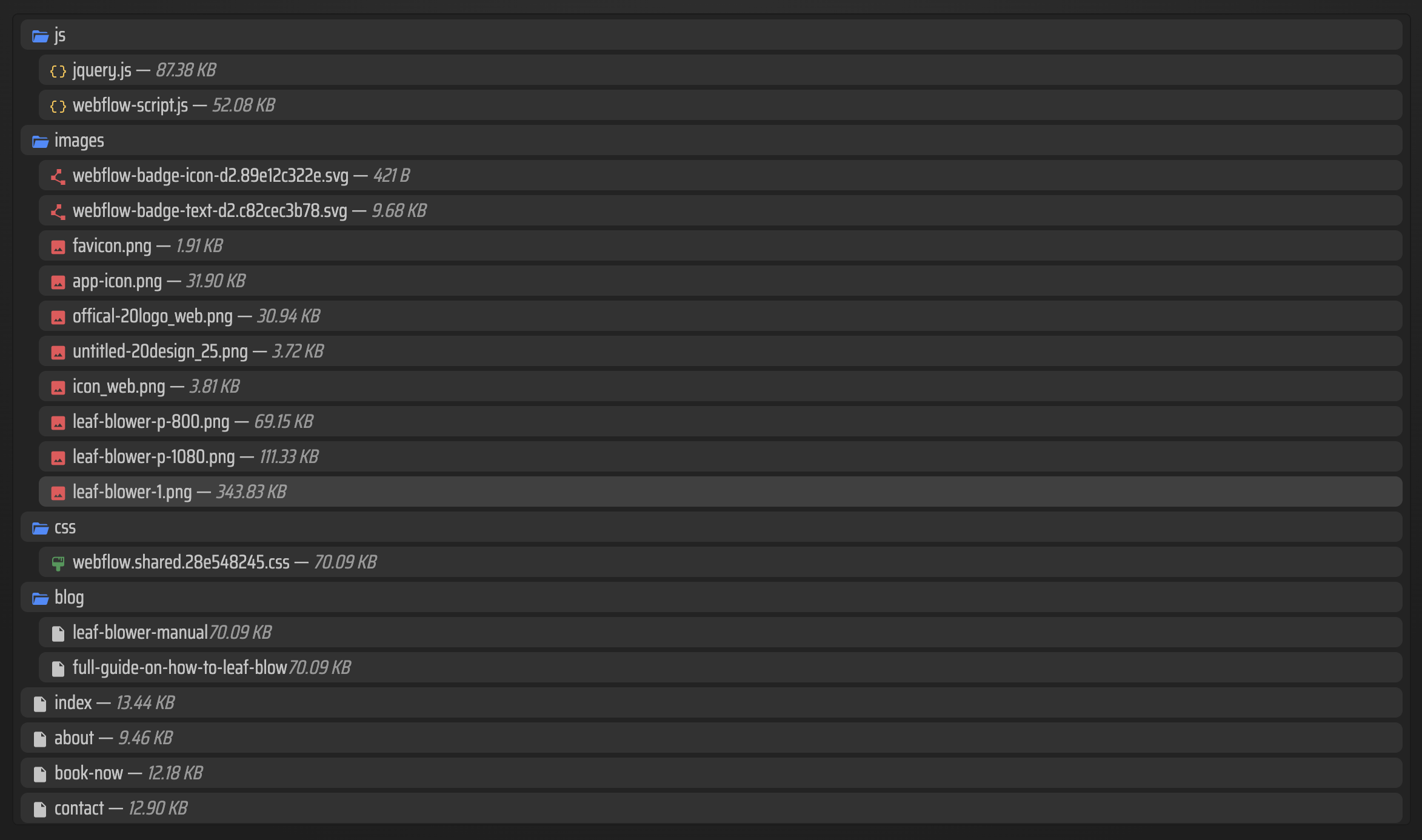
The same kind of check applies if you are exporting another builder. I have seen the exact same failure mode in How to Export a Webflow Site to Git, S3, or FTP Without Rebuilding It and How to Export a Squarespace Site to Static HTML and Self-Host It. Different platforms, same lesson: the file tree needs to survive the move.
Where I would host the exported site
ExFlow gives me a few sensible paths after the files are exported:
- Host it on ExFlow if I want the simplest handoff.
- Sync it to Git if I want version control and a deployment workflow.
- Sync it to S3 if I want static hosting with a simple storage-backed setup.
- Sync it to FTP if I am dropping the site into an existing server.
I do not treat those as interchangeable. Git is the best fit when I want the export to behave like code. S3 is better when I want a clean static bucket. FTP is for the old infrastructure that already exists and just needs files. If I only want a download I can archive or inspect locally, I stop there.

Why this is better than rebuilding
I reach for this kind of tool when one of these is true:
- I need a static copy of a live Framer site.
- I want to move away from hosted-only pages.
- I need a host I control instead of a platform plan.
- I want the site assets available in a repo or object store.
- I am trying to keep a site alive without starting over.
That is the practical part. I am not looking for a philosophical answer about whether to stay on Framer forever. I am looking for a way to keep the site usable when the hosting decision changes.
If you are in that exact spot, the companion article How to Export a Framer Site Without Breaking Links or Assets is worth reading first. If you want the broader migration version, How to Export a Framer Site to Static HTML Without Rebuilding It is the more direct follow-up.
My bottom line
If I have a Framer site that should become static files, I would start with ExFlow.site. I would export the full site once, inspect the HTML, CSS, JS, and media output, and only then decide whether to host it on ExFlow, push it to Git, or sync it to S3 or FTP.
The next step is simple: test one real Framer URL, verify the exported file tree, and only then move the whole site.

Comments
Post a Comment