How to Export a Webflow CMS Site to Static HTML

I keep seeing teams treat Webflow hosting as the default even when the real problem is portability, backup control, or a simpler static deployment. I tested ExFlow because I wanted a way to export a Webflow CMS site to static HTML, keep the site readable as files, and decide whether self-hosting was actually worth the switch.
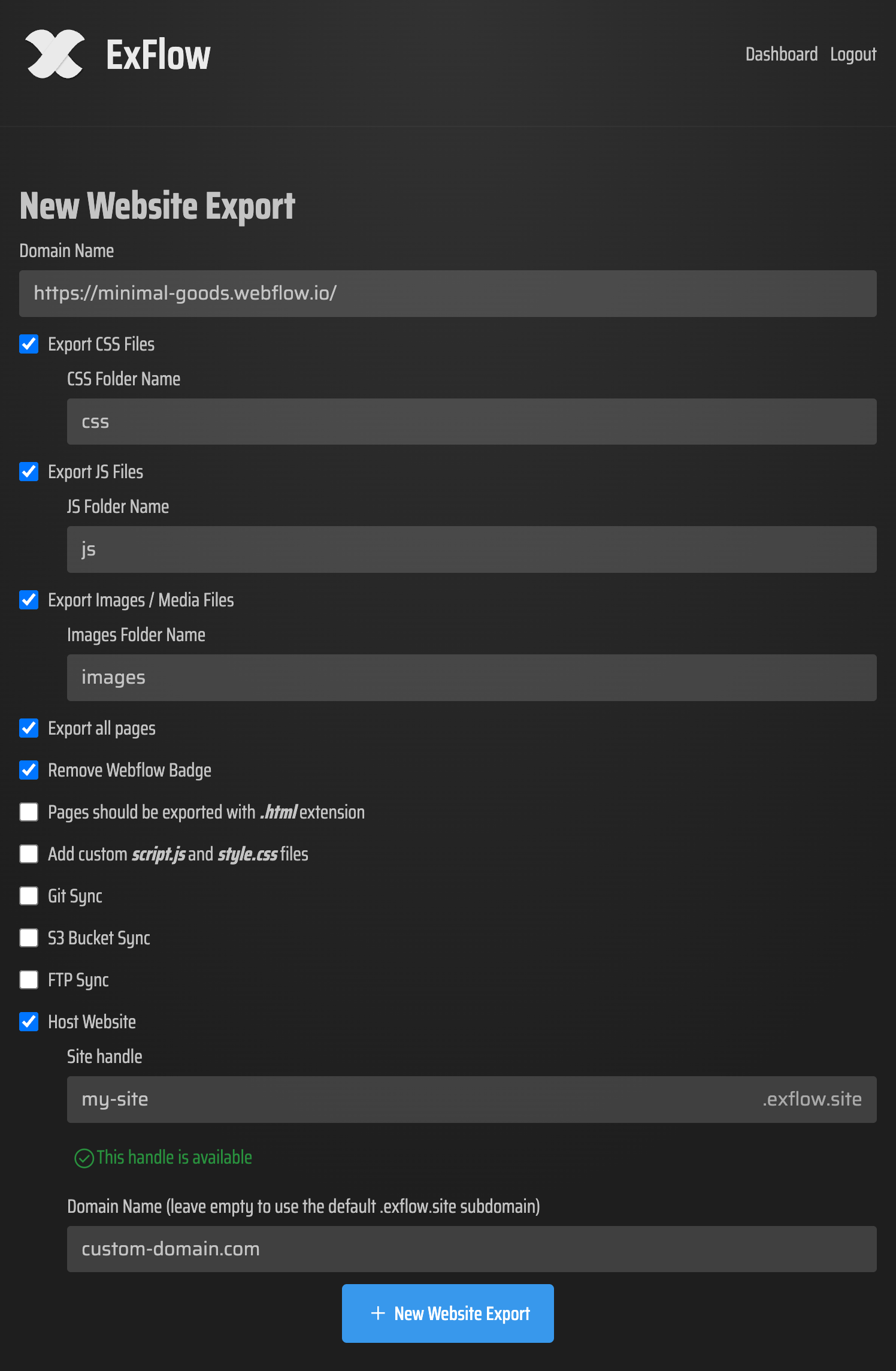
What I wanted from the export
The tool has to do more than dump a zip file. If I am going to move a Webflow site out of Webflow, I want a workflow that still feels deliberate after the export finishes.
In practice, that means I want to:
- download the site by URL instead of rebuilding it by hand
- export pages with a proper .html extension
- bring CSS, JavaScript, and images along with the pages
- keep CMS content in the exported bundle when the site depends on it
- sync the result to Git, S3, or FTP when that is the cleanest handoff
That is the real reason I care about a Webflow exporter. I am not trying to make the process clever. I am trying to make it repeatable.
Why the settings matter more than the button
ExFlow exposes the knobs that actually change the outcome. I can choose whether to export CSS files, JavaScript files, and media. I can remove the "Made with Webflow" badge. I can add custom script.js and style.css files. I can even push the export straight into a sync target instead of treating download as the end of the process.
That sounds small, but it is the difference between a one-off export and a workflow I can trust. If the output still needs me to reassemble the site after the fact, the export did not save time. It just moved the work.
This is close to what I wrote in How I Decide When a Webflow Site Should Be Exported and the more tactical Webflow Exporter Checklist: How to Move a Site to Static Hosting. My rule has stayed the same: the export only matters if the exported result is useful on its own.
What I check after export
Once the export is done, I do a quick sanity pass before I think about deployment. I am not looking for perfection. I am looking for signs that the site came across intact enough to be worth hosting elsewhere.
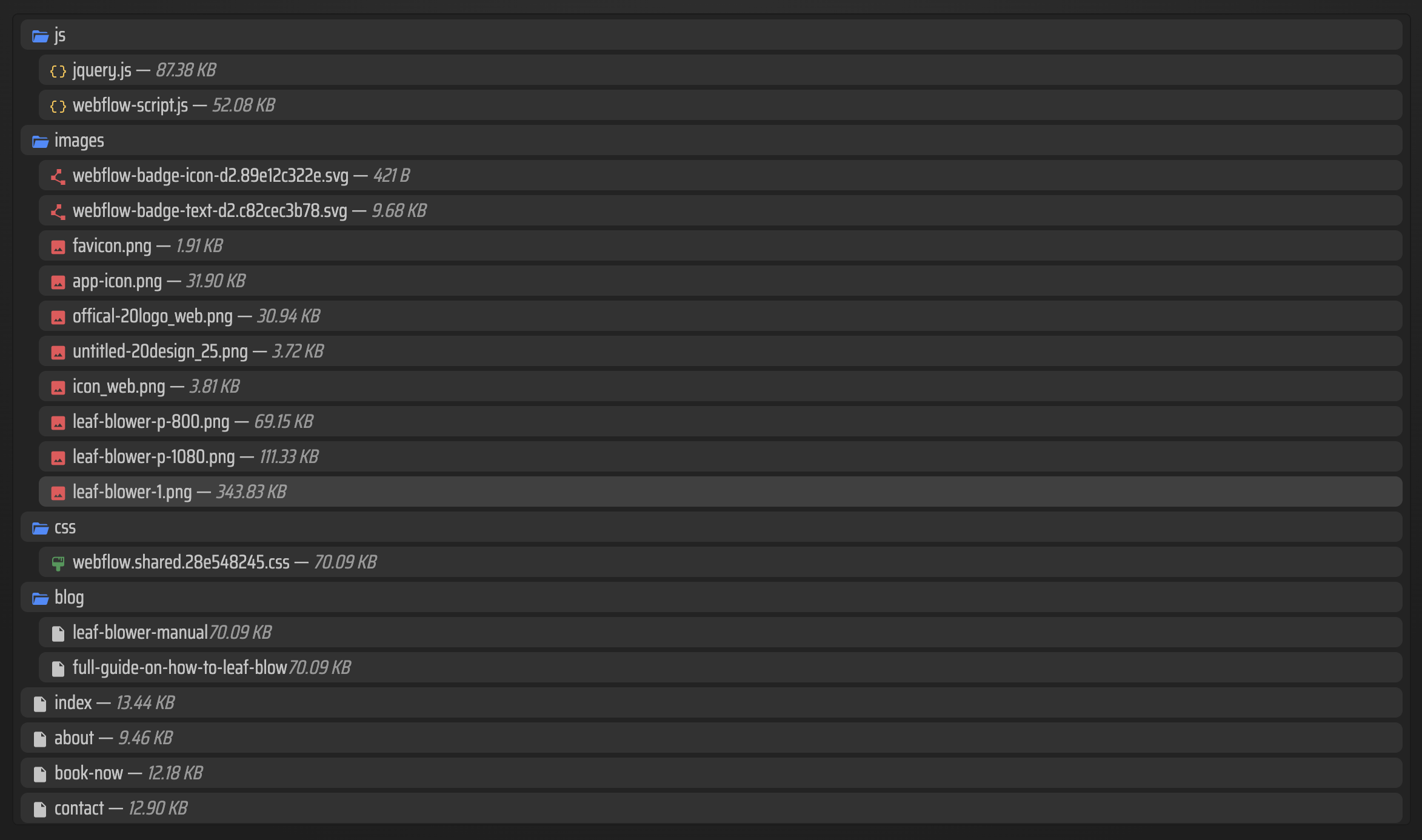
My checklist is simple:
- Do the main pages have .html files where I expect them?
- Are the CSS and JS assets present instead of half-missing?
- Did the images and media files come over cleanly?
- If the site uses CMS content, did that content show up in the exported result?
- If I asked for badge removal, is the Webflow badge actually gone?
If those checks fail, the export is not saving me time. It is adding a cleanup phase I did not want.
That is why I keep the related articles How to Export a Webflow CMS Site Without Losing Dynamic Content and How I Export Webflow Sites to Static Hosting, Git, or FTP in mind. They are reminders that the hard part is not clicking export. It is choosing a destination that still makes the site maintainable.
When I would keep Webflow hosting

I would keep Webflow hosting when the team still needs frequent design changes, CMS editing, or low-friction updates and does not want to own more deployment surface area. In that case, the hosted path is often the sane one.
I would export when portability matters more than convenience. That usually means:
- I want a static copy I can host anywhere
- I want Git, S3, or FTP to be the source of deployment truth
- I want to reduce vendor lock-in without rebuilding the site
- I want a simpler archival or backup story for a site that is not changing every day
The same tool also supports Squarespace and Framer, but this is the use case I care about most: a Webflow exporter that lets me make a hosting decision based on workflow, not fear.
One more related read that helped me frame this is How to Replace Webflow Hosting With GitHub Pages Using ExFlow. It is the clearest example of why the export path matters when the long-term hosting plan changes.
If you want to test the same workflow, start at ExFlow.site, export one Webflow site URL, and compare the result against your current hosting setup before you migrate anything serious.
My current rule is simple: export Webflow when the static output becomes an asset, not just a backup. If the exported bundle helps me ship, archive, or host more cleanly, the move is worth considering. If it just creates more manual cleanup, I stay put.

Comments
Post a Comment