How To Create High-Conversion Shopify Product Photos With Lifestyle Scenes
If your product photos are stuck on plain white backgrounds, you’re leaving conversions on the table. Shoppers want to see how an item fits into their life — the scale, mood, materials, and vibe. That’s where lifestyle product photography shines: it boosts trust, time-on-page, and add-to-cart rates by showing products in context.
This guide walks you through a fast, repeatable workflow to create high-conversion lifestyle scenes for your Shopify store using AI-powered tools — without hiring a studio. We’ll use Supra AI Photo Studio, an all-in-one app built for Shopify merchants that handles background removal, object placement, model try-ons, AI videos, and more. Explore the full feature tour here: supra-ai-photo-studio.sktch.io.
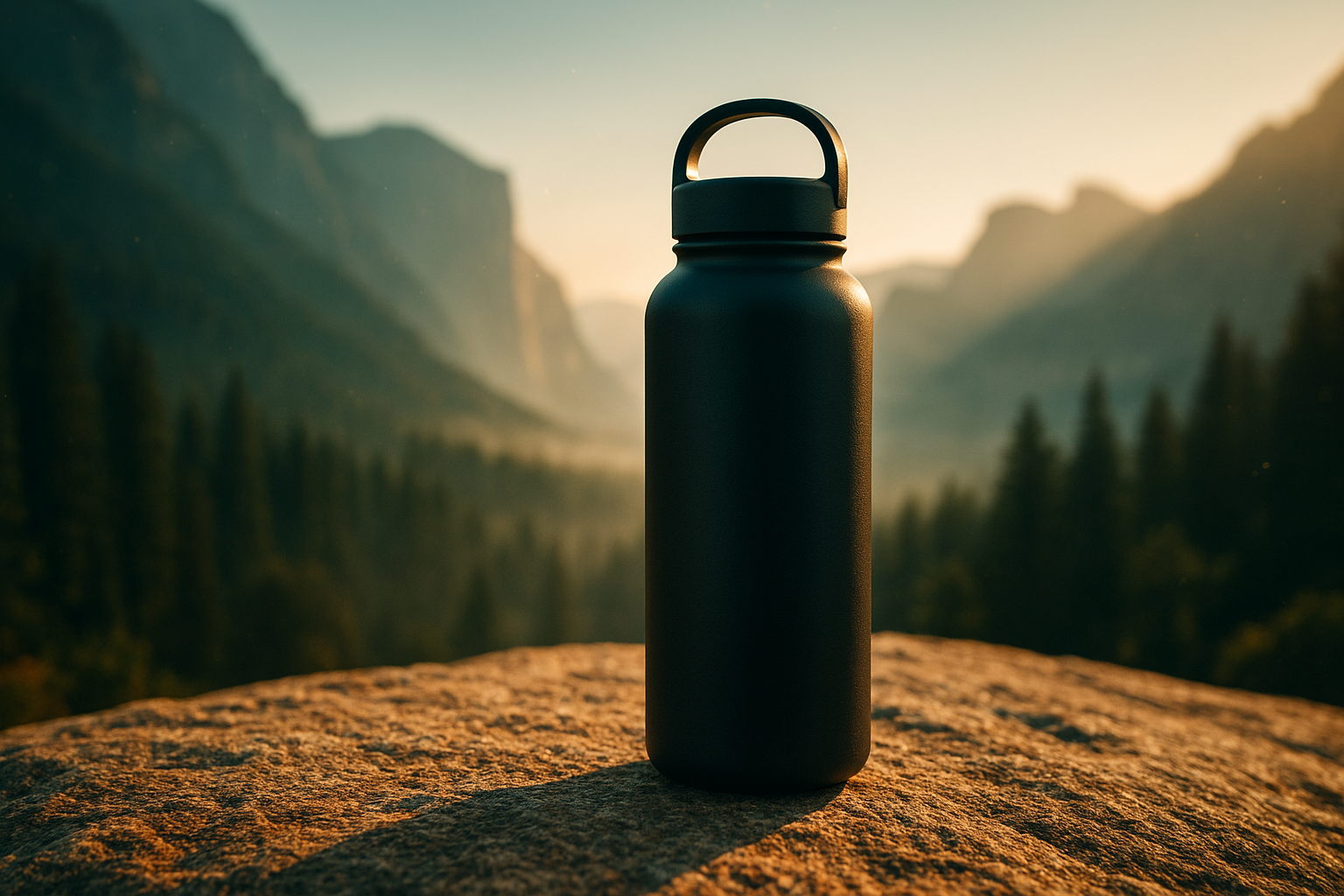
Why lifestyle product photos convert
- Context sells: Seeing an item in a scene helps shoppers imagine ownership and usage, reducing uncertainty.
- Visual proof: Realistic lighting, shadows, and scale communicate quality better than specs alone.
- Brand storytelling: Consistent scenes convey a cohesive identity that makes your store memorable.
- Multi-channel mileage: The same image works on PDPs, collections, ads, email, and social.
The fast, repeatable workflow (using AI)
Below is a proven step-by-step you can apply to any product category.
1) Start with a clean hero image
- Upload your base photo to Supra AI Photo Studio.
- Use Auto Enhance to denoise, deblur, and balance colors and exposure.
- Use Background Remover to isolate the product for precise compositing.
- If needed, Upscale for crisp, zoomable detail on PDPs.
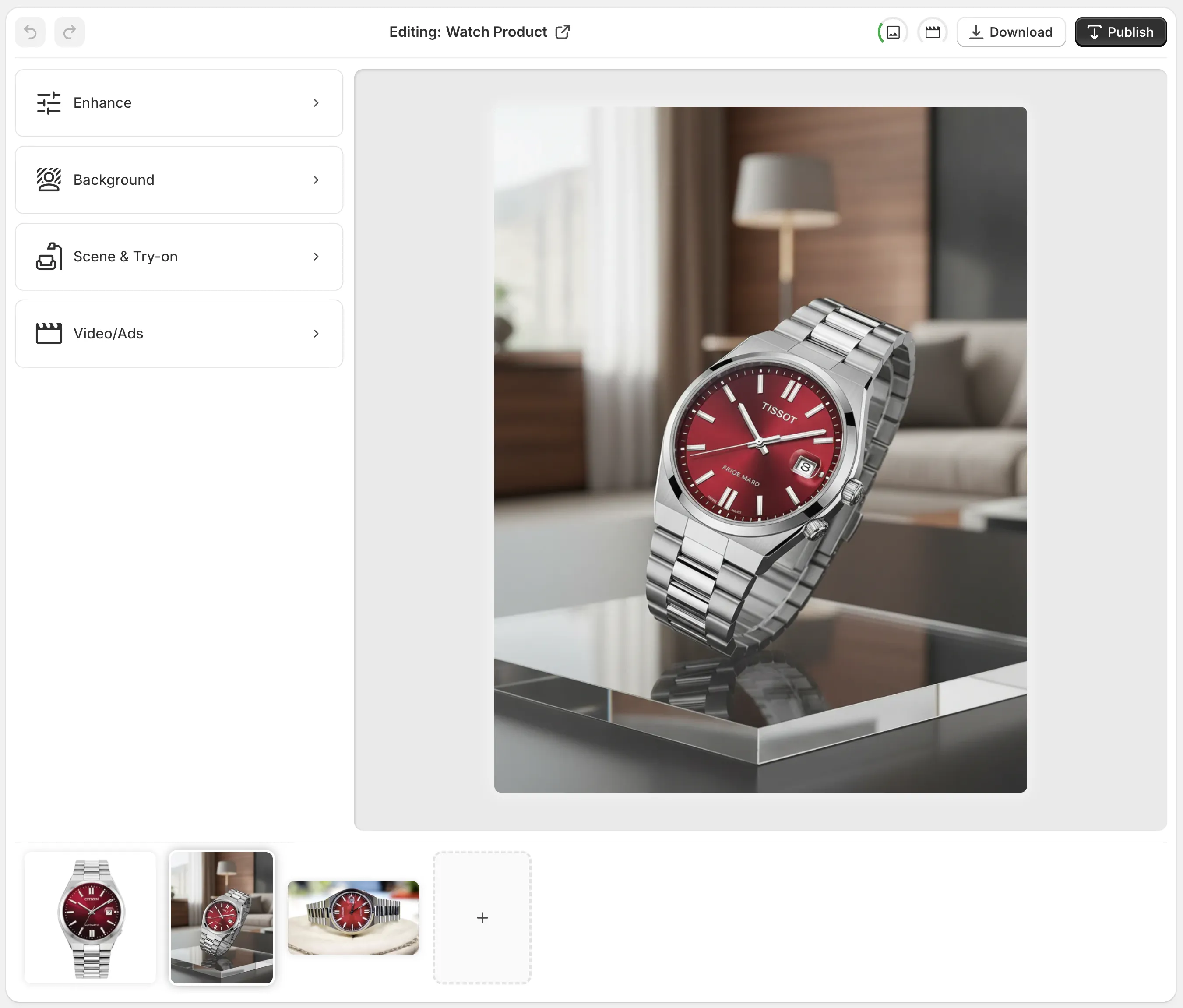
2) Choose a scene that matches shopper intent
- For kitchenware: natural wood counter, window light, fresh herbs, steam or condensation for sensory cues.
- For tech: clean desk, cool-tone key light, subtle reflections, cable-free minimalism.
- For beauty: tiled bathroom, soft diffused light, water droplets, tactile textures like linen or stone.
- For outdoor gear: textured terrain, directional sun, believable dust and scuff cues.
In Supra AI Photo Studio, use Object Placement to set the environment, surface, camera angle, and lighting style. Small changes in perspective and light direction radically improve realism.

3) Dial in realism: shadows, scale, and materials
- Match the light direction with a soft, angled key light; add a gentle bounce to avoid harsh contrast.
- Ensure a natural contact shadow and, where appropriate, a faint reflection on glossy surfaces.
- Check scale against scene elements (tiles, wood grain, books) so the product doesn’t feel too big or small.
- Mind color casts; warm wood or green plants can tint lighter surfaces. Use Auto Enhance if needed.
4) Fashion? Use AI Try-On for on-model shots
- Pick from a diverse range of models or create your own while keeping product accuracy intact.
- Try different poses, body types, and skin tones to reflect your customer base and drive inclusivity.
- Maintain fabric drape, fit lines, and print placement for credibility.

5) Create a consistent catalog look
- Define a style guide: camera angle (eye-level, 45-degree), color temperature (warm vs cool), and surface materials (oak, marble, slate).
- Build a small set of repeatable scene presets per product category so your collection pages look cohesive.
- Keep composition frameworks like rule-of-thirds or center-weighted symmetry to support fast browsing.
6) Export and publish quickly
- In the editor, select the best variations and publish back to your product in Shopify.
- Add a lifestyle hero as the first or second image on the PDP; keep the plain studio shot in the mix for details.
- Use alt text with descriptive, keyword-rich phrases such as high-conversion lifestyle photo of ceramic mug on wooden counter.
Add motion: B-roll and UGC for ads and social
Static lifestyle photos convert, but video hooks attention even faster.
- B-roll AI videos: Generate slow-motion product drops, dust or liquid splashes, or top-down reveals while preserving product detail.
- UGC-style videos: Turn a product image into influencer-style clips with voice selection and on-brand vibe — perfect for Reels, Shorts, and ads.
Watch a short demo: Supra AI Photo Studio Trailer

Common mistakes (and quick fixes)
- Floating products: Add or strengthen contact shadow; ensure the shadow direction matches key light.
- Over-saturated colors: Use Auto Enhance to normalize; aim for true-to-life tones that match the customer’s unboxing experience.
- Inconsistent backgrounds across a collection: Establish 2–3 scene templates per category and stick to them.
- Cluttered scenes: Let the product be the hero. Use negative space and simple props with complementary textures and colors.
- Misleading scale: Include familiar reference objects or textures (tiles, books, cutlery) that imply size without stealing attention.
SEO checklist for lifestyle images
- Use descriptive alt text: include product name, material, and scene (e.g., stoneware planter on sunlit windowsill).
- Compress efficiently while preserving detail; use upscaled source images for crisp zoom.
- Name files with keywords and hyphens, not generic camera filenames.
- Add structured data on PDPs (where applicable) and ensure fast load times.
Try this 15-minute workflow
1) Import your best plain product shot into Supra AI Photo Studio. 2) Run Auto Enhance, Background Remover, and Upscale. 3) Use Object Placement to drop the product into a lifestyle scene aligned with buyer context. 4) If apparel, generate an on-model Try-On variation for the hero image. 5) Export 2–3 variants, publish to Shopify, and A/B test hero order on the PDP. 6) Repurpose the same assets into a 6–10 second B-roll or UGC-style video for ads.
Why use Supra AI Photo Studio
- Studio-quality enhancements: clean backgrounds, sharpness, and lighting.
- AI object placement: put products into kitchens, offices, boutiques, or outdoors in minutes.
- AI model try-ons: on-brand models with pose and body diversity while preserving product fidelity.
- Video generation: b-roll and UGC clips for ads and social.
- Mockup embedding: insert designs on apparel, packaging, mugs, and more.
You own all generated images and videos, so you can use them across your store and marketing. There’s a free plan to explore, plus affordable tiers for growing shops: Standard at 14.17 per month, Professional at 33.33 per month, and Agency at 108.33 per month. See the latest pricing and features here: supra-ai-photo-studio.sktch.io.
Ready to upgrade your visuals?
Install the app in minutes and transform plain shots into lifestyle images that convert:
- Get the app: Supra AI Photo Studio on the Shopify App Store
- Explore features: supra-ai-photo-studio.sktch.io
- Need help? Reach support via the app’s Help & Support section.
When your product photos look like they belong in your customer’s world, every click — from ad to checkout — performs better. Start crafting high-conversion lifestyle scenes today.

Comments
Post a Comment