How to Create High-Converting Lifestyle Product Photos for Shopify Stores
If your product photos live on a plain white background, you’re likely leaving conversions on the table. Lifestyle product photos show how your item looks in the real world, building trust and desire—key ingredients for higher add-to-cart and purchase rates. In this guide, you’ll learn a practical, repeatable workflow to create high-converting lifestyle images for your Shopify store—fast.
We’ll also show how to do it in minutes (not weeks) using AI-powered tools in Supra AI Photo Studio. You can try it free here: https://apps.shopify.com/supra-ai-photo-studio
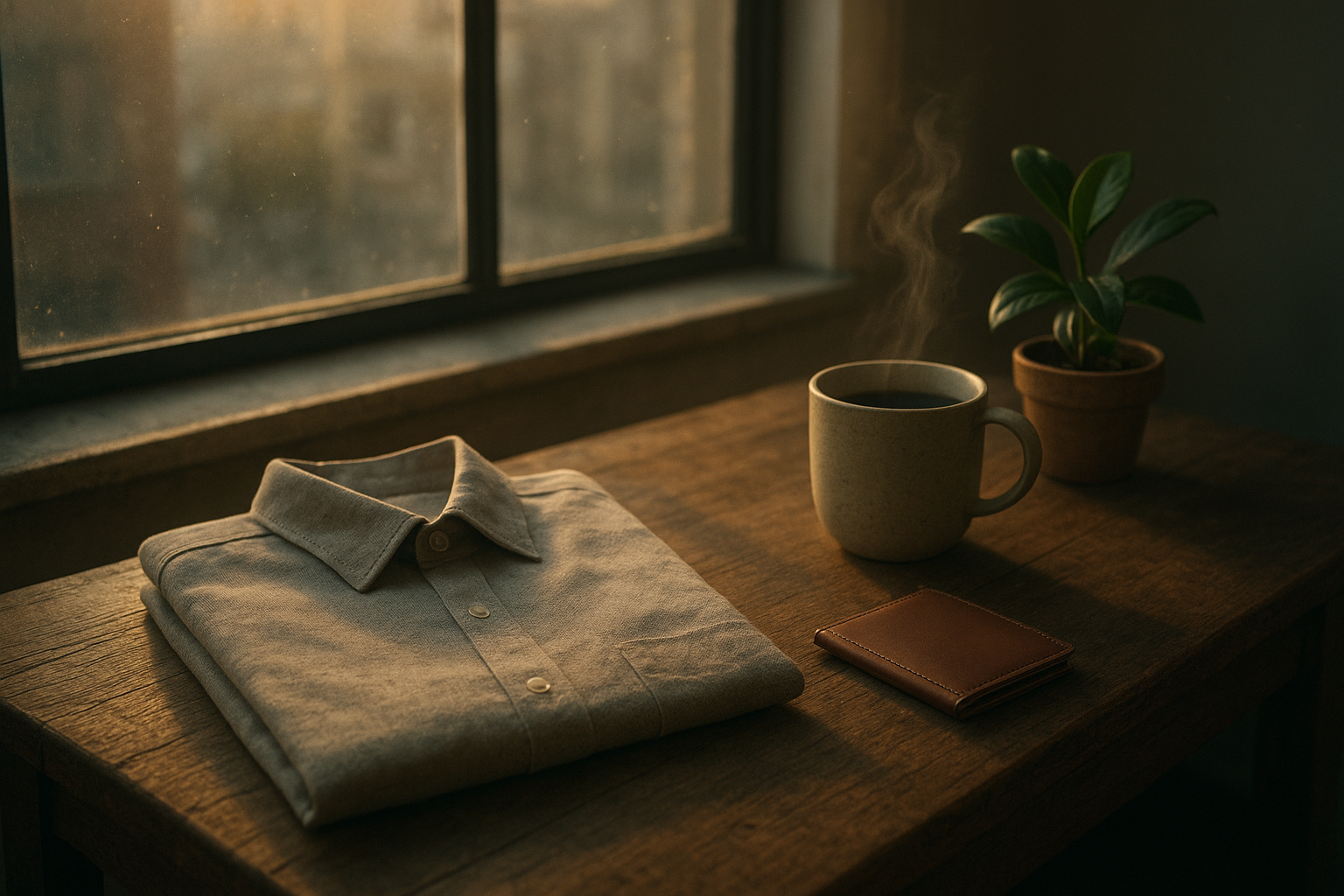
Why Lifestyle Product Photos Convert Better
- Context closes the imagination gap: Shoppers instantly see scale, use-cases, and fit within a lifestyle.
- Trust via realism: Texture, lighting, and environment convey quality better than flat studio shots.
- Story = memorability: Scenes tell a story that sticks, improving click-through on ads and product pages.
The 7-Step Workflow for Scroll-Stopping Lifestyle Images
1) Define the conversion goal and audience
- Goal examples: drive add-to-cart on PDP, increase CTR from collection pages, or boost ROAS on ads.
- Audience cues: color palettes, settings, and props should match your buyer’s taste and seasonality.
2) Build a quick style guide
- Visual anchors: lighting (golden hour vs. soft studio), tone (warm, cozy, minimal, bold), and surfaces (marble, concrete, wood).
- Aspect ratios: 1:1 for collections, 4:5 for feeds, 16:9 for banners/ads. Keep it consistent across the catalog.
3) Start with the cleanest base image
- Shoot or export with enough resolution (at least 1500–2500px on the long edge).
- Keep the product centered with clean edges and no heavy compression artifacts.
Pro tip: If your base images are noisy or off-color, run an enhancement pass first. In https://supra-ai-photo-studio.sktch.io/ you can denoise, deblur, and auto-correct lighting so every image starts at studio quality.
4) Isolate the product to remove distractions
Begin by removing the background so the product mask is perfect. That gives you freedom to place it in any environment later.
- Use: Background Remover in Supra AI Photo Studio.
- Then: Upscale for extra sharpness if needed.
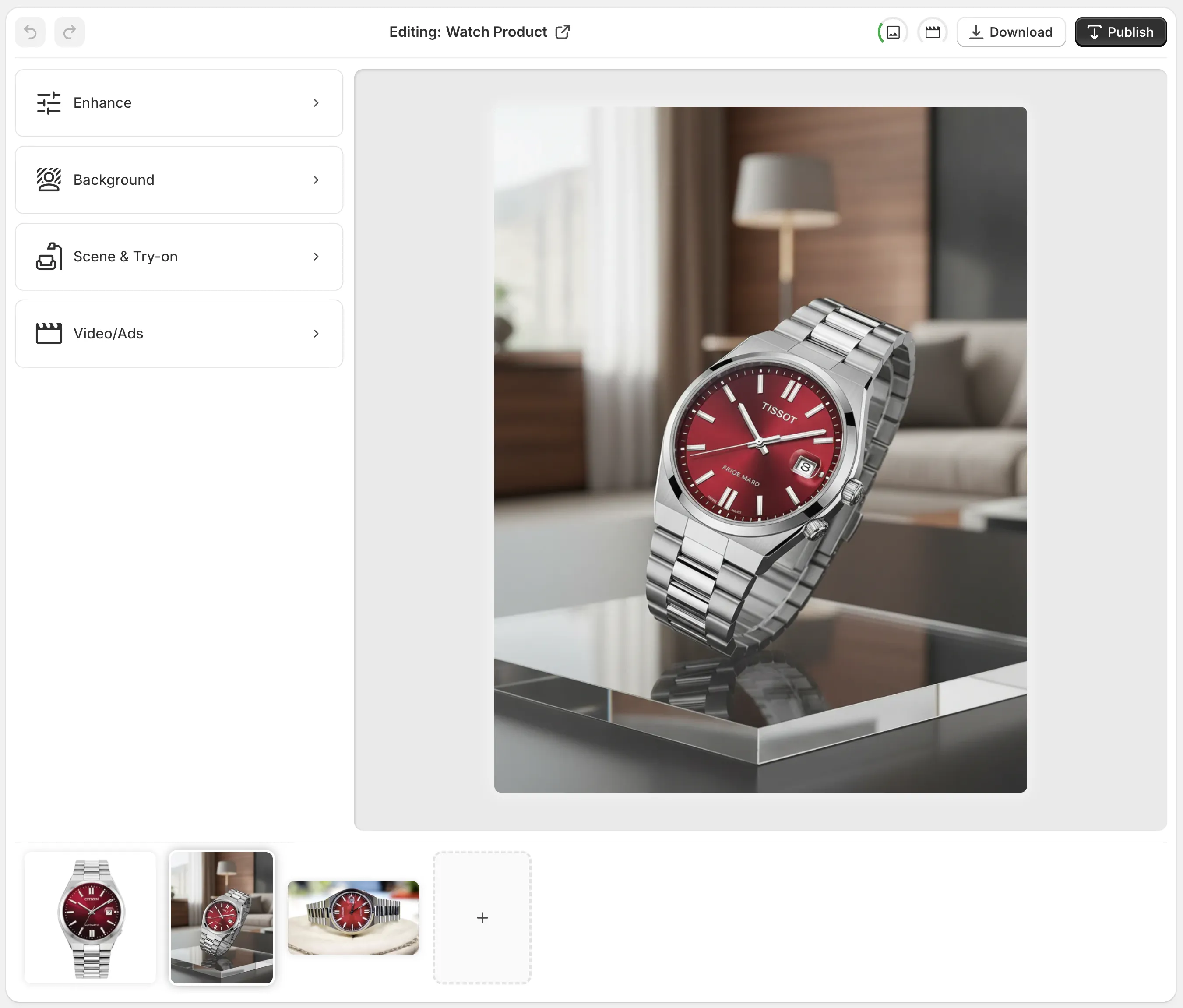
5) Build a believable lifestyle scene in minutes
Instead of hiring a set designer, place your product in realistic environments with precise control over surfaces, camera angle, and lighting.
- Use: Object Placement to drop your product into kitchens, studios, boutiques, or natural settings.
- Dial in: Surface type (marble, wood, fabric), lens perspective (top-down, 45°, eye level), and lighting mood (soft window light, hard studio, dusk).
- Add context props sparingly: one or two complementary items to suggest use—never outshine your product.

6) For fashion: create on-model images without a photoshoot
On-body visuals dramatically increase confidence in fit, drape, and proportion.
- Use: AI Try-On to put your apparel on realistic models.
- Customize: pose, skin tone, body type, and vibe while preserving fabric details, prints, and silhouette.
- Tip: Match the model’s environment to your brand mood (studio clean vs. lifestyle street vs. cozy indoor). Keep shadows and highlights consistent across the set.

7) Finish with polish and consistency
- Color consistency: Batch-correct white balance and contrast so thumbnails line up visually on collection pages.
- Cropping logic: Keep the primary focal point on or near the upper third for faster eye lock-in.
- Shadows and grounding: Subtle contact shadows under products prevent the “floating” look.
Turn Images Into Ads and Reels (Bonus)
Lifestyle stills get more powerful when paired with short-form video. Use UGC-style clips or cinematic b-roll to drive attention and stop-the-scroll in social feeds.
- UGC Video Generator: Transform a product image into influencer-style clips. Choose voice, vibe, and setting.
- B‑Roll Generator: Create slow-motion drops, liquid or dust impacts, and top-down reveals while preserving product details.
Watch the 60-second demo: https://www.youtube.com/watch?v=M2ISy20la78
How to Do It Fast with Supra AI Photo Studio
You can recreate the entire workflow above directly inside your Shopify admin using this app:
- Install: https://apps.shopify.com/supra-ai-photo-studio
- Explore features: https://supra-ai-photo-studio.sktch.io/
What you can do in minutes:
- Background remover + upscaling + auto enhance for clean, sharp bases.
- Object placement to produce lifestyle scenes on-demand.
- Model try-on for fashion SKUs with precise product fidelity.
- UGC and b-roll video generation for ads and product pages.
- Mockup embedding for designs on apparel, mugs, and packaging.
Practical Checklists You Can Reuse
Image planning checklist
- One clear goal per image (PDP hero, gallery context, ad creative, email banner)
- Decide on scene: environment, surface, lighting, and angle
- Identify 1–2 supporting props that imply use-case
- Choose aspect ratio and composition rules up front
Quality checklist before publishing
- Sharp focal plane on the product’s most important detail
- Believable light direction and shadow depth
- Color harmony with brand palette
- Background free of clutter; no competing highlights
- Consistent crop and margins across the set
SEO and performance checklist
- File names: use descriptive keywords (e.g., "linen-tote-bag-natural-canvas-lifestyle.jpg")
- Alt text: write human-first, keyword-backed descriptions (e.g., "Natural canvas tote bag on a wooden table in soft window light")
- Dimensions: serve the size you need (e.g., 1600px long edge for PDP zoom) and let Shopify handle responsive variants
- Compression: export efficient JPEG/WebP; avoid over-compression that smears texture
- Captions: add a short benefit-oriented caption where relevant
Real Examples You Can Emulate
- Transform plain shots into contextual scenes: Place a skincare bottle on a marble vanity with soft morning light and a glass of water for freshness.
- Create on-model confidence: Show a dress in a casual street scene with walking motion implied by fabric flow.
- Craft ad-ready b‑roll: A top-down slow‑motion reveal of a watch sliding onto a walnut tray with a soft dust puff for drama.

Common Mistakes (and Easy Fixes)
- Busy backgrounds: Reduce props and simplify the palette; your product should be the brightest or most saturated subject.
- Inconsistent shadows: Match light direction and softness to your chosen environment.
- Over-editing: Avoid heavy saturation or clarity that makes materials look fake.
- Ignoring scale: Add a familiar object (hand, notebook, mug) to help viewers grasp size.
Get Started Today
You don’t need a studio, models, or a big budget to publish premium lifestyle photos that convert. Start with a clean base image, place it in a believable scene, and keep the look consistent across your catalog. The fastest way to do it inside Shopify is with Supra AI Photo Studio.
- Install free: https://apps.shopify.com/supra-ai-photo-studio
- Learn more and see examples: https://supra-ai-photo-studio.sktch.io/
Create studio-grade lifestyle photos, model try-ons, and ad-ready videos in minutes—not weeks. Your product pages, ads, and social posts will thank you.

Comments
Post a Comment