Shopify Product Image Sizes And Ratios For Perfect Grid Alignment
If your collection pages look messy, your bounce rate and AOV might be paying the price. Perfectly aligned product grids signal professionalism, help shoppers scan faster, and improve add‑to‑cart rates. In this guide, you’ll learn the optimal Shopify product image sizes and ratios, how to keep everything consistent across your catalog, and a fast way to fix misaligned grids using AI.
Quick Answer (TL;DR)
- Best all‑purpose Shopify product image size: 2048 × 2048 px (square, 1:1) for sharp zoom and retina displays.
- Shop-wide consistency matters more than any single ratio. Pick one aspect ratio (e.g., 1:1 or 4:5) and apply it to every product.
- File formats: JPEG for photos, PNG when transparency is required, WebP for modern compression (where supported). Keep files under 1–2 MB when possible.
- Shopify limits: up to 4472 × 4472 px, max 20 MB per image. Bigger isn’t always better—optimize for speed.
Why Grids Misalign (And How To Prevent It) Misaligned collection grids usually come from:
- Mixed aspect ratios: some square (1:1), others portrait (4:5), a few landscape (3:2). Themes align by height, so inconsistent ratios cause staggered rows.
- Uneven padding/whitespace: one image is tightly cropped, another has large margins. Even at the same ratio, different visual padding creates wobble.
- Varying camera angles and shadows: inconsistent perspective and shadows make tiles feel off, even if sizes match.
- Low resolution: blurry assets scale poorly and break visual rhythm.
The Fix: choose a single ratio, crop consistently, standardize lighting/shadows, and upload at a high-enough resolution (typically 2048 px on the longest side).
Recommended Shopify Image Ratios By Use Case
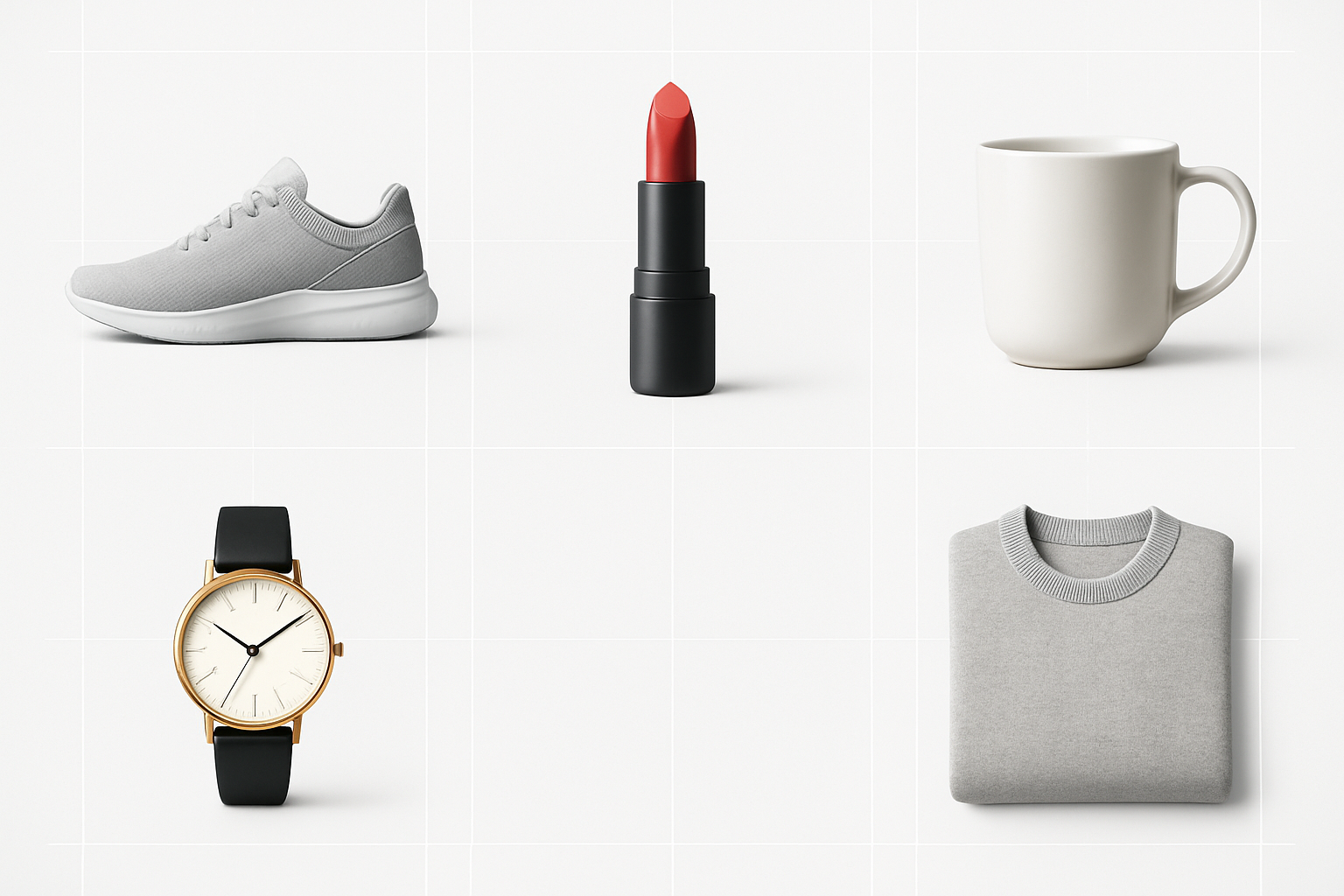
- Square (1:1): The safest, most universal choice; ideal for multi-category catalogs. Recommended: 2048 × 2048 px.
- Portrait (4:5 or 3:4): Great for apparel and fashion where vertical framing flatters garments. Common picks: 2000 × 2500 px (4:5) or 1800 × 2400 px (3:4).
- Landscape (16:9 or 3:2): Rare for product grids but useful for banners, hero shots, or wide lifestyle imagery.
Pro tip: Whatever you pick, use it across your entire catalog. If you must mix, do it by separate collections with dedicated theme settings.
Understanding Size vs. Ratio vs. Resolution
- Aspect ratio: The width-to-height relationship (e.g., 1:1, 4:5). This is what keeps your grid aligned.
- Pixel dimensions: The actual size in pixels (e.g., 2048 × 2048). This influences sharpness and zoom.
- DPI: Irrelevant on the web. Don’t worry about it for Shopify.
Image Size Cheat Sheet
- Product detail page (PDP): 1600–2560 px on the longest side. Sweet spot: 2048 px.
- Collection grid: Same ratio for every tile; 1200–2048 px on the long side for crispness.
- Thumbnails: Shopify auto-scales, but start with high-quality source images.
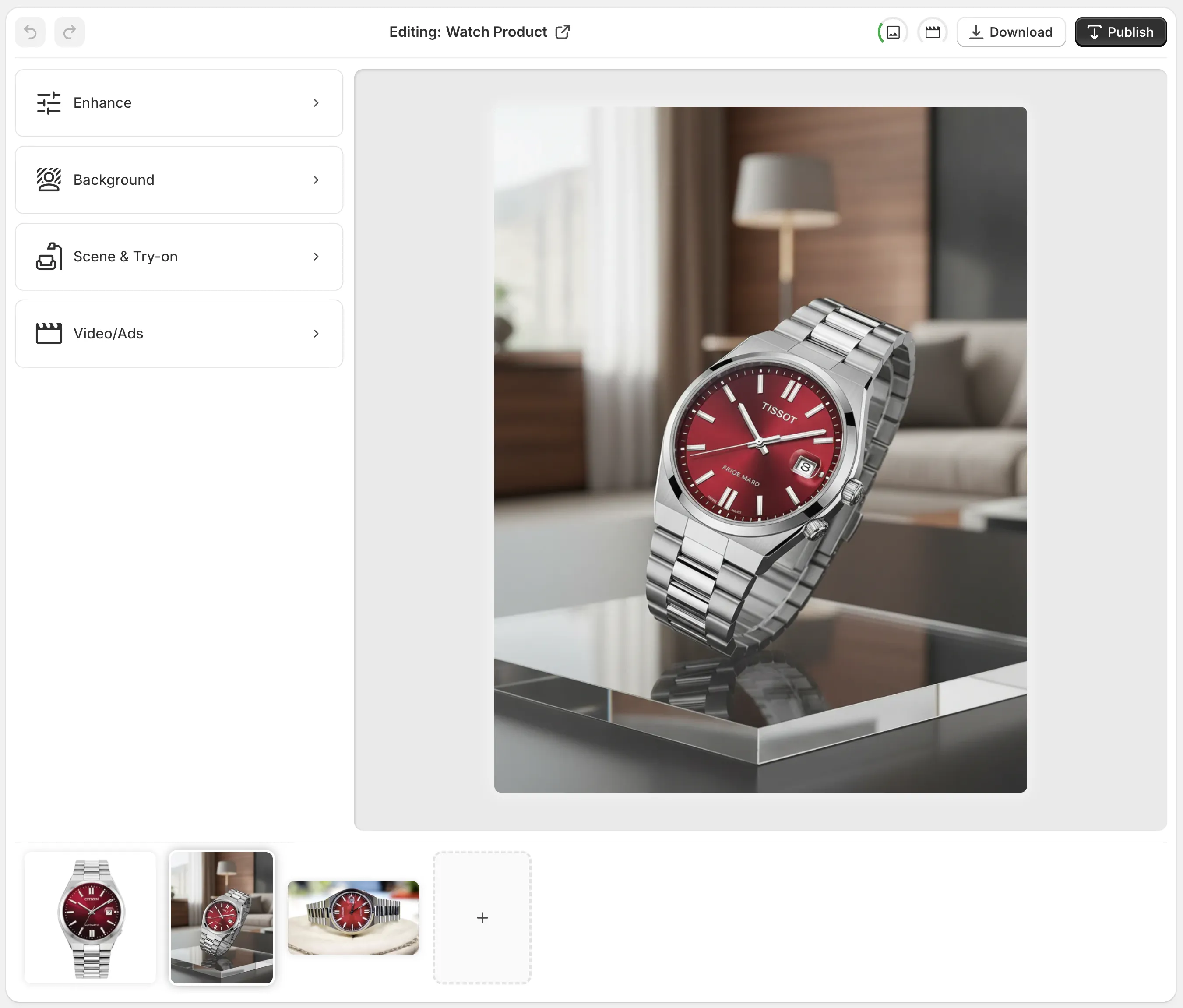
How To Achieve Perfect Grid Alignment With AI (Fast) You can correct inconsistent ratios and margins across your catalog in minutes using Supra AI Photo Studio for Shopify. It’s an AI-powered editor inside your Shopify admin that batch-crops, removes backgrounds, places products into consistent scenes, and upscales intelligently.
- Install the app: https://apps.shopify.com/supra-ai-photo-studio
- Explore features and plans: https://supra-ai-photo-studio.sktch.io/
- Watch a quick demo: https://www.youtube.com/watch?v=M2ISy20la78
Step-By-Step: Fix A Messy Grid In 10 Minutes 1) Pick your global ratio
- Decide on 1:1 (universal) or 4:5 (fashion-forward). Note it down and commit. 2) Isolate the product
- In Supra AI Photo Studio, use Background Remover (Isolate Product) to strip distractions so crops are consistent. 3) Normalize the canvas
- Use Object Placement to center the product and set uniform padding (e.g., 4–6% around the edges) so every tile breathes equally. 4) Batch-crop to your ratio
- Apply 1:1 or 4:5 across the set. The editor ensures consistent framing across all products. 5) Enhance and upscale
- Run Auto Enhance to correct lighting and color, then Upscale to 2048 px on the longest side for crisp zoom without bloat. 6) Add subtle shadows (optional)
- Keep shadows consistent (same direction and softness) to unify your grid’s look. 7) Publish to Shopify
- One click updates your product gallery. Preview your collection—rows should now snap into perfect alignment.
Why Supra AI Photo Studio Helps You Win On Visual Consistency
- Consistent ratios at scale: Batch-crop hundreds of images to 1:1 or 4:5—no manual Photoshop.
- Studio-quality backgrounds: Remove, replace, or set on-brand lifestyle scenes that still respect your chosen ratio.
- Realistic try-ons for apparel: Generate on-model images with accurate garment fit while keeping grids uniform.
- Intelligent upscaling: Sharpen older images up to 2048 px without artifacts.
- Video, too: Create UGC-style and cinematic b‑roll clips that match your product’s visual system for ads and PDPs.
Explore the app: https://apps.shopify.com/supra-ai-photo-studio
Best Practices For Speed, SEO, And CRO
- Keep file sizes lean: Aim for 150–500 KB per tile when possible. Use JPEG/WebP with balanced compression.
- Name files descriptively: “white‑leather‑sneakers‑men‑1x1.jpg” helps SEO and asset management.
- Alt text matters: Describe the product, color, material, and key attribute (e.g., “Men’s white leather sneakers with gum sole”).
- Color profile: Export in sRGB for consistent web color.
- Avoid borders in the image: Borders can appear uneven at different breakpoints and disrupt visual rhythm.
- Mind the safe zone: Keep critical details away from edges so crops never cut logos or key features.
Choosing The Right Ratio For Your Niche
- General stores and multi-category: 1:1. Easiest to maintain and universally compatible across themes.
- Fashion and apparel: 4:5 or 3:4. Feels editorial and flatters vertical garments. Use AI Try-On to standardize pose, body type, and lighting.
- Jewelry and small goods: 1:1 with generous negative space and soft shadows for premium feel.
- Posters and prints: 2:3 for authenticity, but consider a duplicate 1:1 set for collections to keep alignment perfect.
Troubleshooting Checklist
- Do all product images share the same aspect ratio? If not, batch-crop them.
- Is the visual padding consistent? Standardize margins with Object Placement.
- Are backgrounds and shadows cohesive? Use the same lighting direction and softness.
- Are images sharp on mobile and zoom? Upscale to ~2048 px on the long side.
- Are file sizes optimized? Re-export or compress to keep pages fast.

Turn Plain Shots Into A High-Converting, On-Brand Grid You don’t need a design team to fix alignment and consistency. With the right sizes, a single aspect ratio, and AI tools that batch-process your catalog, your collections will look instantly premium—and your conversion rate will thank you.
- Try Supra AI Photo Studio free: https://apps.shopify.com/supra-ai-photo-studio
- Learn more about features and pricing: https://supra-ai-photo-studio.sktch.io/
- Watch the 60‑second demo: https://www.youtube.com/watch?v=M2ISy20la78
Build a visual system once. Apply it everywhere. That’s how you get perfect Shopify grid alignment—every time.

Comments
Post a Comment