How to Set a RAW Photo Handoff Checklist Before Client Delivery
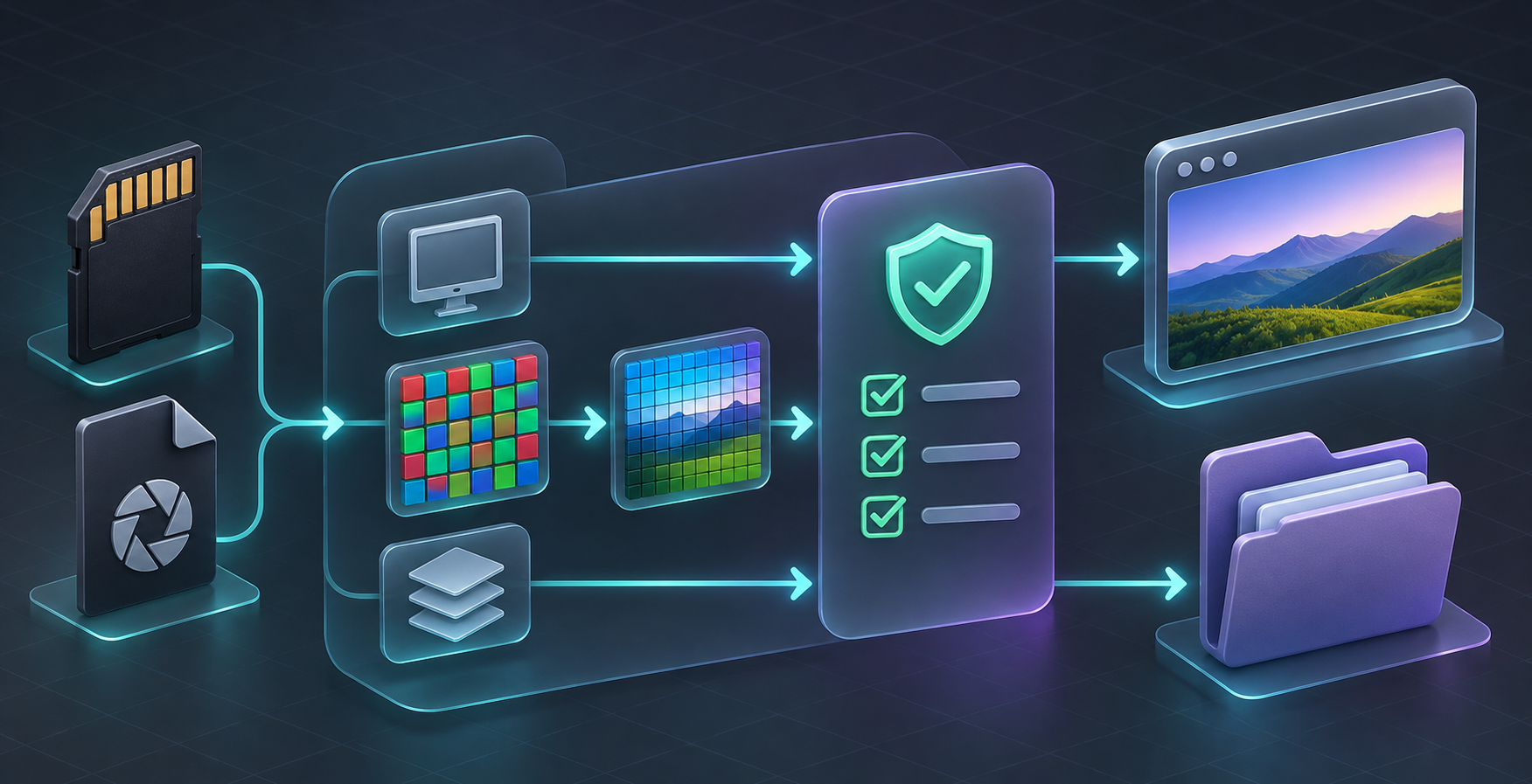
A RAW photo handoff is reliable when you test the actual camera files, separate a quick preview from final rendering, and define a fallback before delivery. Do not promise that every .RAW file will open the same way: support depends on the camera format and compression mode. For teams that need a local browser or application check, FlashRaw is one component worth evaluating—but the checklist is what keeps a technical capability from becoming a client-facing surprise.

Start with a support contract, not a file extension
A supplier saying “the files are RAW” is not enough to plan a smooth delivery. CR3, NEF, ARW, RAF, DNG, and other extensions contain multiple camera and compression variants. A decoder can support one mode well, partially support another, and reject a third. FlashRaw’s format documentation makes this distinction explicit: its status is tracked by format and mode, rather than by extension alone.
Write down the result you are actually offering. Is the goal to show an embedded camera preview, inspect metadata, create a browser thumbnail, or create a display-ready RGB image? Those are different jobs with different time and quality expectations. A preview that helps an account manager identify a shoot is useful; it is not automatically a color-approved final image.
This matters especially when a client handoff mixes cameras, batches, and deadlines. The same discipline that makes a client CSV export safe to share—checking the outgoing artifact rather than trusting the process—works here too.
Use this five-part RAW handoff checklist
Before you accept a delivery promise, collect a small but representative fixture set: one file from each camera body, plus every compression, crop, burst, or special mode the project uses. Get permission to retain these files as regression fixtures, or use an approved public corpus where appropriate. Then record the following.
1. Input identity. Capture camera model, file extension, compression or capture mode, dimensions, and approximate file size. “Nikon NEF” is not specific enough for a support decision.
2. Required output. Mark whether the workflow needs metadata, an embedded preview, sensor data, or developed RGB pixels. Never substitute one for another without saying so.
3. Observed result. For each fixture, record pass, partial, or fallback. A clear “preview only” outcome can be acceptable if that is what the client needs.
4. Acceptance check. Open the output where it will be used: the browser, catalogue tool, or downstream editor. Check orientation, crop, basic white balance expectations, and whether the file fails gracefully.
5. Fallback owner. Decide what happens if a file is unsupported: request JPEG plus RAW, route it to a desktop process, or hold it for manual review. Name the person who makes that call.
| Delivery question | Evidence to collect | Safe promise |
| --- | --- | --- |
| Can we identify the photo? | Embedded-preview test | “We can show a working preview for these tested fixtures.” |
| Can we make a catalogue image? | Developed RGB test in the intended pipeline | “We can create a review image after this acceptance check.” |
| Can every supplier file enter automatically? | Results across each exact camera/mode | “These listed modes are automated; all others go to review.” |
Keep preview and final rendering on separate paths
A common workflow mistake is treating an instant thumbnail as proof that final output is ready. Embedded-preview extraction can be quick and practical for triage. Full RAW development needs sensor interpretation such as the color filter array, black and white levels, white balance, colour matrices, crops, and orientation. That is why a successful open should be the first gate, not the final approval.

For browser-facing work, this boundary is also a performance decision. A worker can keep a large decode away from the interface, while the main page reports a clear state: preview ready, processing, needs review, or unsupported. FlashRaw offers JavaScript and WebAssembly paths for local processing, but deployment details still matter: test memory use, target browsers, security headers if you introduce threaded WASM, and the particular files your customers supply.
If your team needs the broader operating model, this browser RAW upload support contract is a useful companion. For the narrower question of keeping a quick preview honest, see the browser RAW preview promise matrix.
Make the test repeatable before you compare decoders
FlashRaw is designed for applications that need to decode camera RAW files, inspect metadata, extract previews, or develop an RGB image. Its published benchmark material compares defined workloads on named machines and camera corpora; it is useful evidence, but not a blanket performance promise. The project’s benchmark documentation distinguishes sensor decode from RAW-to-RGB output and documents cases where another decoder can be faster.
That is a good model for your own evaluation. Run each candidate through the same fixture set, record package versions and settings, and compare the output that matters to your delivery—not a headline number from a different machine. For a client-facing workflow, an unsupported file with a clear next step is better than a fast-looking preview that later becomes a color or compatibility incident.
A compact release receipt can be as simple as this:
- Fixture IDs and exact camera modes tested
- Required output for each client workflow
- Preview result and full-render result
- Browser/device and package version used
- Known exceptions and the named fallback

Turn the checklist into a delivery habit
Store the receipt alongside the client folder and rerun it whenever the camera fleet, decoder version, browser target, or expected output changes. This takes less time than reconstructing why one batch behaved differently after a deadline. It also makes handoffs easier to delegate: the next operator can see what was tested, what is merely possible, and what needs escalation.
When the final asset needs editing rather than just validation, preserve the original RAW and use a reversible workflow; this guide to editing a PSD without rebuilding the design follows the same principle of protecting the source.
Start with five real files from the next delivery. Run the checklist, write the fallback in plain language, and only then decide whether FlashRaw or another decoder fits your stack. That small receipt turns a vague RAW-support claim into an operational promise your team can keep.

Comments
Post a Comment